
How to Convert Fidelity Statements to Excel and CSV
A step-by-step guide to turning your Fidelity Investments statements into usable spreadsheet formats, built for the United States.
Fidelity gives you two versions of the same statement, and only one of them is complete. The HTML version renders in your browser and is easy to read. The PDF is the regulatory required statement, and Fidelity states plainly that the HTML format may exclude some of the information found in it.
For a brokerage account that distinction is not cosmetic, because the missing details are often cost basis and realized gain and loss lines you need at tax time. This guide explains what Fidelity exports, where its history limits sit, and how StatementSheet turns your Fidelity PDF statements into clean Excel or CSV files.
Can You Download Fidelity Statements Directly in Excel or CSV?
Short answer: partly. You can export recent activity to CSV, but the statement itself is a PDF, and the CSV link on the documents page belongs to tax forms rather than statements.
Fidelity's document archive is generous. Ten years of monthly and quarterly statements, year-end investment reports and trade confirmations are available online, with tax forms going back seven years. Account records, meaning new and revised account profiles, are the exception at twelve months.
The transaction history tool is a different story. It covers roughly five years, precisely four years and ten months, and Fidelity's own guidance says that to see anything older you must refer to your account statements. So the exportable data window is half the length of the statement archive.
Then comes the format warning most people miss. Fidelity states that the PDF is your regulatory required statement containing complete details, while the HTML version may exclude some information. If you built a spreadsheet by copying the HTML view, you may be working from an incomplete record.
Why Convert Fidelity PDF Statements to Excel or CSV?
The activity export is useful for recent months. Converting the statement is what covers the rest:
- Reach the years beyond the history toolTransaction history stops at about four years and ten months, while statements continue for ten years. Fidelity itself points you to the statements for older periods, and converting them is how they become data.
- Work from the regulatory required documentFidelity designates the PDF as the complete statement and warns the HTML view may omit information. Converting the PDF means your spreadsheet traces back to the version that counts.
- Reconcile wash sales across every accountA broker reports wash sales within one account. The taxpayer must apply the rule across substantially identical positions in every account, including IRAs and a spouse's. That reconciliation only works with all your statements in columns.
- Prepare Form 8949 and Schedule DForm 8949 exists to reconcile what your broker reported on the 1099-B with what you actually report, with corrections entered in column (g). Doing that comparison needs your own figures beside theirs.
- Consolidate statements that arrive separatelyMultiple accounts produce multiple statements online, and annuity accounts cannot be consolidated at all. Converting lets you merge them into one sheet without filing a household relationship form.
Activity Export vs. Fidelity Statement: Which Should You Use?
Fidelity separates live activity data from the statement document, and they cover different periods.
| Criterion | Activity & Orders CSV export | Statement PDF (converted) |
|---|---|---|
| History reachable | About four years and ten months | Ten years of statements |
| Completeness | Recent activity view only | The complete regulatory statement |
| Several accounts | Current account view | Merge after converting |
| Cost basis and realized gain | Not always included | Present in the statement detail |
| Best for | Recent trade checks | Tax filing, audits, older years |
Simple rule: For the last quarter or two, export CSV from Activity & Orders. For tax season, cost basis work or anything past five years, convert the statement PDF.
Why Use StatementSheet?
StatementSheet reads your Fidelity statement PDF and turns every transaction line into a structured spreadsheet row, with no copying, pasting or manual cleanup.
- ✔️ Unlocks the ten year statement archive, not just five years of history
- ✔️ Works from the PDF, the version Fidelity calls the complete statement
- ✔️ Captures holdings, transaction detail and realized gain and loss sections
- ✔️ Merges brokerage, IRA and cash management accounts into one sheet
- ✔️ Produces columns ready for Form 8949 and Schedule D preparation
- ✔️ Ready for QuickBooks, Xero, TurboTax worksheets and Excel
- ✔️ Scanned statements handled by OCR, with files processed securely
Which Fidelity Documents Can You Convert?
Fidelity serves brokerage, retirement and workplace savings customers across the United States. StatementSheet handles:
- Monthly and quarterly Fidelity account statements in PDF
- Year-end investment reports from the ten year archive
- Consolidated statements covering several accounts at once
- Trade confirmations and interested party statements
- NetBenefits workplace plan statements, plus scanned copies
How to Convert Fidelity PDF Statements in Four Easy Steps
Here is how to turn your Fidelity PDF statements into Excel or CSV:
Step 1: Download Your Fidelity Statement
- Sign in at Fidelity
- Go to Accounts & Trade, then Statements
- Select the account and the statement period you need
- Click the PDF link beside the document and save it
Always take the PDF rather than the HTML view: Fidelity designates the PDF as the complete regulatory statement. For workplace plans such as a 401(k), the same documents live in NetBenefits under Statements and Documents, which is a separate login surface.
Step 2: Upload Your PDF Bank Statement

Step 3: Our engine converts it into a structured Excel or CSV file

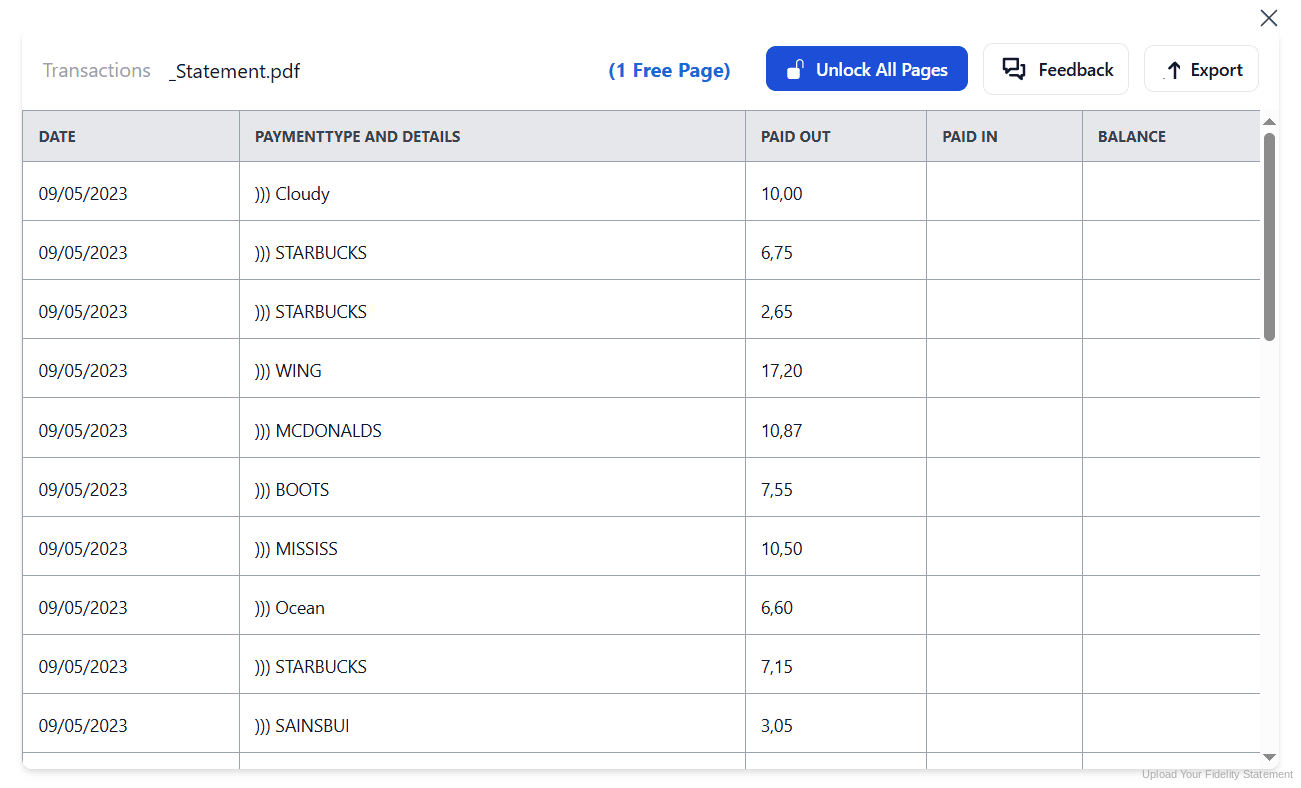
Step 4: Check the result and download your converted file instantly
Can You Convert Fidelity Statements Manually?
You can copy from the HTML statement view, and that is exactly where the trouble starts. Fidelity warns the HTML format may exclude information present in the PDF, so a spreadsheet built that way can look complete while missing lines. The CSV link on the documents page does not help either, since it belongs to tax forms rather than account statements.
Copying from the PDF instead brings the usual damage, made worse by brokerage layout. A Fidelity statement is not one table but several stacked sections covering holdings, income summary, contributions and distributions, realized gain and loss, and transaction detail. Each has different columns, and a naive copy merges them into one unusable block.
An automatic converter reads the statement, keeps those sections distinct, maps their columns to consistent headers and rebuilds each table properly. Check your totals against the ending account value afterwards to confirm the result.
Related Guides
More US Bank Guides:
Frequently Asked Questions
How many years of Fidelity statements are available online?
Ten years of monthly and quarterly account statements, year-end investment reports and trade confirmations. Tax forms go back seven years, while account records are kept for twelve months.
Should I use the PDF or the HTML statement?
Use the PDF. Fidelity states that the PDF is your regulatory required statement and contains complete details, whereas the HTML version is an online format that may exclude some of the information found in the PDF.
How far back does Fidelity transaction history go?
About five years, or four years and ten months to be precise. For anything older, Fidelity directs you to your account statements, which is why converting them matters.
Can I download my Fidelity statement as CSV?
Not directly. The CSV link on the documents page applies to tax forms, not account statements. You can export recent activity to CSV from Activity and Orders, or convert the statement PDF.
Why does my Fidelity CSV tax form fail to open?
Fidelity notes that if a CSV file exceeds 64,000 rows you need Excel 2010 or later to open it. Active traders hit this limit more often than they expect.
Why do my wash sales differ from the 1099-B?
Brokers report wash sales within a single account using identical positions. Taxpayers must apply the rule to substantially identical positions across all accounts, including IRAs and a spouse's, so the two figures legitimately differ.
Tips for Organizing Your Converted Fidelity Statements
Once your statements are converted to Excel or CSV, here is how to get the most out of them:
- Save the year-end investment report every JanuaryThe year-end report summarises a full tax year in one document. Converting it each January gives you a compact annual record instead of twelve monthly files to stitch together.
- Keep trade confirmations alongside statementsTen years of trade confirmations are available and can be filtered by symbol, CUSIP, SEDOL or ISIN. They settle cost basis disputes that a monthly statement alone leaves ambiguous.
- Track accounts across brokers, not just FidelityA wash sale can be triggered between a taxable account and an IRA, and no broker will ever report that. Keep converted statements from every institution in the same workbook.
- Watch for corrected tax formsCorrected 1099-B forms often arrive in March, after many people have already filed. Having your own converted figures makes checking a correction a five minute job.
- Download before an account closesOnline documents only appear when your SSN is listed as an owner, and some accounts are not eligible for online documents at all. Export while access is certain.
Troubleshooting Common Fidelity Conversion Issues
- Your spreadsheet is missing statement detailsYou almost certainly worked from the HTML view, which Fidelity warns may exclude information found in the PDF. Redo the conversion from the PDF version of the same statement.
- History stops before the year you needThe history tool covers four years and ten months. Older periods exist only in the statement archive, which runs to ten years, so switch to statements and convert those.
- Your documents are not showing at allFidelity only shows documents when your SSN or TIN is listed as an owner, or you were granted viewing authority. Some accounts are also simply not eligible for online documents.
- A large CSV will not openFidelity's own guidance is that CSV files over 64,000 rows require Excel 2010 or later. Splitting the period into quarters is the practical workaround.
- Sections have merged into one blockA Fidelity statement stacks holdings, income summary, realized gain and loss and transaction detail, each with its own columns. A clean conversion keeps those tables separate rather than flattening them.
Final Thoughts: Take Control of Your Financial Data
Fidelity keeps ten years of statements but only about five years of exportable history, reserves the CSV link for tax forms, and tells you plainly that the HTML view may be incomplete. For anything touching cost basis or a past tax year, the PDF is the record.
With StatementSheet, your Fidelity statement PDFs become clean Excel or CSV files: holdings and transaction sections kept distinct, realized gain and loss preserved, accounts merged into one sheet, ready for Form 8949, QuickBooks or your CPA.
Ready to convert your Fidelity statement to Excel or CSV?
➡️ Ready to convert bank statement PDF to Excel? straight from the statement that counts.