
How to Convert Barclays Bank Statements to Excel and CSV
A step-by-step guide to export your Barclays bank statements into usable spreadsheet formats.
Managing bank statements becomes overwhelming when static PDF files lock your records. If you are a Barclays customer, you may have searched for phrases like “barclays csv statement”, “how to download barclays statements in csv format”, or “barclays download statements excel”, and come away convinced the option doesn't exist.
It does. Barclays is actually one of the few UK banks that exports natively in three accounting formats. The catch is that the option is buried, only works on desktop, covers a short window, and ships with a date bug that quietly breaks your accounting. This guide shows you where to find it, and when to reach for StatementSheet instead.
Can You Download Barclays Bank Statements Directly in Excel or CSV?
Short answer: yes for CSV, OFX and QIF, but Barclays hides it well, and there are real catches.
Unlike most banks, Barclays doesn't make this option easy to find. In Online Banking on a desktop, click Show recent transactions for the account, scroll to the very bottom of the list and click View all transactions. In the Transactions section, set a start and end date and click Search. Then scroll to the bottom again and look for the small Export All link, where you can choose CSV, OFX or QIF. It's not in the Statements section at all.
Three catches matter. The export isn't available in the Barclays mobile app, only desktop Online Banking (you can use a mobile browser if you stop it redirecting to the app). The CSV window typically only covers recent transactions, around 3 to 6 months. And Barclays CSV exports often show dates as "DD Mon" (for example 15 Dec) with no year, which quietly corrupts any accounting import spanning a year boundary.
Statements themselves stay as PDFs, and Barclays keeps up to 7 years online. So for a full tax year, an archived period, or a file where every row needs the correct year, download the PDF and convert it with StatementSheet.
Why Convert Barclays PDF Bank Statements to Excel or CSV?
Barclays' native export helps for recent months, but it won't cover the cases that actually matter at year end:
- Fix the missing-year problemBarclays CSV exports frequently omit the year, showing only "15 Dec". Converting the full PDF statement restores the correct year on every row, which matters the moment your period crosses January.
- Reach beyond the 3 to 6 month export windowThe CSV export only covers recent transactions. Archived statements go back up to 7 years, but as PDFs only. A full Self Assessment year (6 April to 5 April) almost always falls outside the CSV window.
- Keep truncated payment references intactBarclays PDFs often truncate BACS payment references, direct debit mandate IDs and Faster Payment details. A good conversion preserves what's there, so you can still trace a payment months later.
- Handle different layouts in one workbookPersonal, Premier, business and Barclaycard statements each use different column positions and header structures. Converting normalises them so a bookkeeper isn't remapping columns for every client account.
- Tax preparation and HMRC complianceIf you’re self-employed, structured data streamlines Self Assessment. For VAT-registered businesses it supports Making Tax Digital submissions via QuickBooks, Xero, Sage or FreeAgent.
Barclays "Export All" vs. PDF Statement: Which Should You Use?
Barclays keeps its transaction export and its statements in completely separate places. Knowing which one you need saves a lot of wasted clicking.
| Feature | Export All (CSV/OFX/QIF) | PDF statement (converted) |
|---|---|---|
| Where | View all transactions, then Export All (desktop only) | Statements & Documents |
| History covered | Recent transactions (~3 to 6 months) | Up to 7 years online |
| Dates include the year | Often not ("15 Dec") | Yes, restored on every row |
| Mobile app | Not available | Yes, download the PDF |
| Best for | Last few months into Xero or QuickBooks | Full tax years, audits, archived periods |
Rule of thumb: for the last few months on a desktop, use Export All (pick OFX for QuickBooks, CSV for Xero or Excel). For a full tax year, an archived statement, or when the year must be correct on every row, convert the PDF.
Why Use StatementSheet?
When Barclays' hidden export doesn't fit the job, StatementSheet converts the PDF statement accurately and quickly.
- ✔️ Restores the year on dates that Barclays exports as "DD Mon"
- ✔️ Reaches archived statements beyond the ~3 to 6 month CSV window (PDFs go back 7 years)
- ✔️ Handles the different layouts of personal, Premier, business and Barclaycard statements
- ✔️ Preserves payment types (BACS, DD, FP, SO), running balances and payment references
- ✔️ Works when you only have a phone, since the CSV export is desktop-only
- ✔️ Full GBP (£) and DD/MM/YYYY support, HMRC and MTD friendly
- ✔️ Imports directly into Xero, QuickBooks, FreeAgent and Sage
- ✔️ Secure and UK GDPR-compliant, files encrypted then deleted
Which Barclays Documents Can You Convert?
Barclays uses distinct statement layouts by account type. StatementSheet handles them all:
- Personal current account statements (sort code, account number, chronological list with payment type and running balance)
- Barclays savings and Premier account statements, which use their own layouts
- Business banking statements, with extra reference fields and batch payment summaries
- Barclaycard statements, with separate sections for purchases, cash advances and interest charges
- Multi-page and password-protected statements, plus scanned or photographed copies
How to Convert Barclays PDF Bank Statements in Four Easy Steps
Here’s the process to convert your Barclays statements from PDF to Excel or CSV using StatementSheet.
Step 1: Download Your Barclays PDF Bank Statement
- Log in to Barclays Online Banking or the Barclays app
- Select the account, then go to Statements & Documents
- Pick the month or statement period you need (up to 7 years are kept online, no password required)
- Download the PDF and save it to your device
If you only need recent months and you're on a desktop, the hidden export is worth knowing: click Show recent transactions, scroll to the bottom, click View all transactions, set your date range, click Search, scroll down again and select Export All, then choose CSV, OFX or QIF. Remember it's desktop-only, covers roughly 3 to 6 months, and the dates may arrive without the year.
Step 2: Upload your PDF Bank Statement
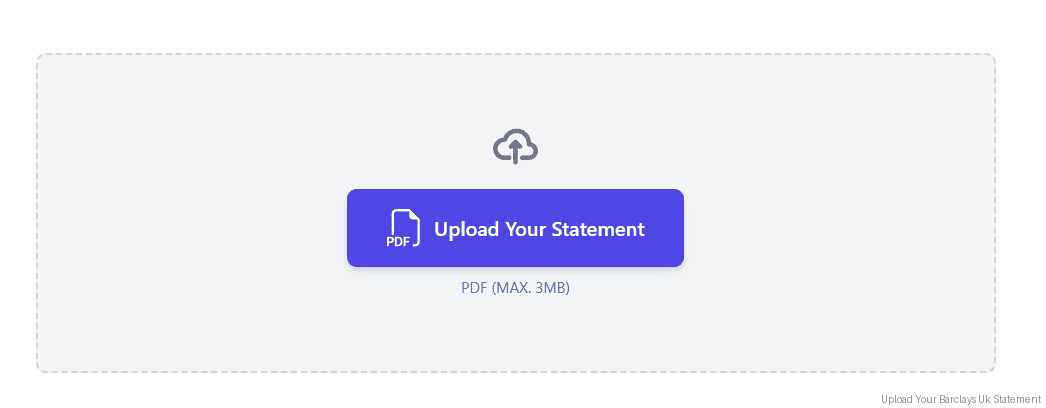
Step 3: Our smart engine converts it to a structured Excel or CSV file.
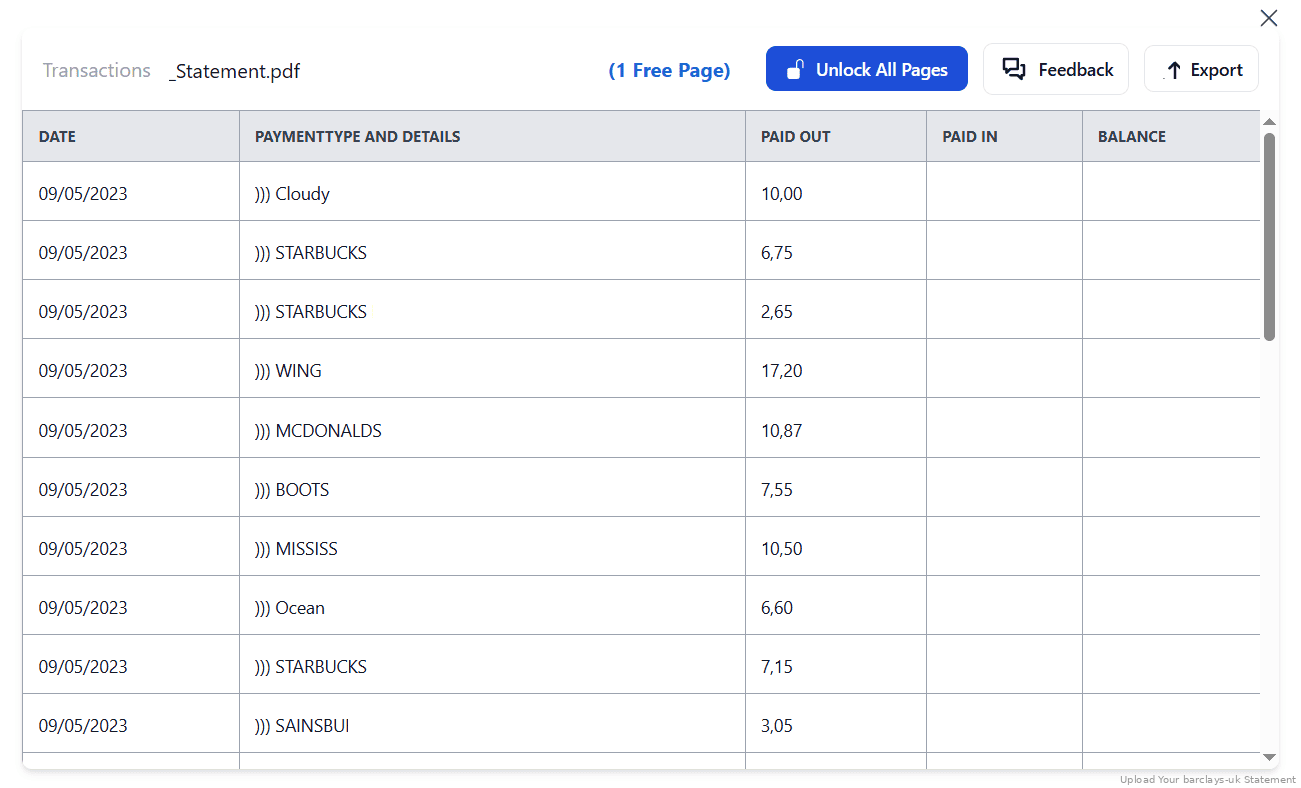
Step 4: Check result & Download your converted document instantly
Can You Convert Barclays Statements Manually?
Copying from a Barclays PDF is slower than it looks, mainly because there isn't one Barclays layout. Personal, Premier, business and Barclaycard statements use different column positions, header structures and transaction descriptions. A routine that works on your current account breaks on the Barclaycard, which splits purchases, cash advances and interest into separate sections. Monthly statements also run to several pages when you have plenty of transactions.
Details matter here. Barclays statements carry a payment type column (BACS, DD, FP, SO) that's genuinely useful for reconciliation, and payment references for BACS, direct debit mandates and Faster Payments that often arrive truncated. Dates are DD/MM/YYYY, so make sure your spreadsheet doesn't read them month-first, and check the running balance ties out afterwards.
An automated converter recognises the account type, keeps the payment types and references, handles multi-page statements without splitting them, and outputs one consistent layout, which is why the four-step method above is the reliable route for a full year or a stack of client accounts.
Related Guides
More UK Bank Guides:
Frequently Asked Questions
How do I download my Barclays transactions in CSV?
In Online Banking on a desktop, click Show recent transactions, scroll to the bottom and click View all transactions. Set a date range, click Search, then scroll down and select Export All, choosing CSV (OFX and QIF are also offered). It's deliberately hard to find and isn't in the Statements section.
Why are the dates in my Barclays CSV missing the year?
This is a known quirk: Barclays CSV exports often show dates as "DD Mon" (like 15 Dec) with no year. Any period crossing January will import wrongly. Converting the PDF statement with StatementSheet restores the correct year on every row.
Can I export Barclays transactions from the mobile app?
No. The export is desktop-only. You can use a mobile web browser if you stop it redirecting to the app, but the simplest route on a phone is to download the PDF statement and convert it.
How far back can I get Barclays data?
The CSV export typically only covers recent transactions (around 3 to 6 months). PDF statements are available for up to 7 years online, so a full Self Assessment year usually means converting the PDFs.
Does StatementSheet work with Barclays business accounts and Barclaycard?
Yes. Personal, Premier, business and Barclaycard statements all use different layouts, and StatementSheet handles each, including Barclaycard's separate purchases, cash advances and interest sections.
Is StatementSheet safe to use?
Yes. The system encrypts all data during transfer and deletes your files after processing. The service is fully UK GDPR-compliant.
Does Barclays charge for downloading PDF bank statements?
No. Barclays provides free access to PDF statements for personal and business banking customers through online and mobile banking, with 7 years of history.
Tips for Organising Your Barclays Bank Statements
Once you’ve converted your Barclays PDFs into Excel or CSV, here’s how to make the most of your files:
- Check every row has a year before importingIf you used the native CSV export, add the year yourself before touching Xero or QuickBooks. A December row without a year will land in the wrong tax period.
- Keep the payment type columnBarclays labels each transaction BACS, DD, FP or SO. Sorting by that column makes it far quicker to isolate direct debits, standing orders or incoming Faster Payments.
- Set your date range to the UK tax yearWhen preparing Self Assessment, pull 6 April to 5 April directly rather than downloading calendar months and trimming afterwards.
- Reconcile the running balanceBarclays personal statements carry a running balance. Check it ties out after conversion, especially on multi-page statements where a row can be dropped at a page break.
- Store converted statements securelySave your Excel or CSV files in encrypted cloud storage like OneDrive or Dropbox, and keep copies beyond Barclays' 7-year online window.
Troubleshooting Common Barclays Conversion Issues
- You can't find the CSV optionIt isn't in Statements. Click Show recent transactions, scroll right to the bottom, click View all transactions, set dates, click Search, then scroll down again for the small Export All link.
- Transactions land in the wrong yearBarclays CSVs often omit the year entirely. Convert the PDF statement instead, which carries the statement period and lets every row be dated correctly.
- No Export All link on your phoneThe export doesn't exist in the Barclays app. Use a desktop, or stay in the mobile web browser and refuse the redirect to the app. Otherwise download the PDF and convert it.
- Columns don't line up between accountsPersonal, Premier, business and Barclaycard statements use different column positions and headers. Convert each and let the tool normalise them rather than remapping by hand.
Final Thoughts: Take Control of Your Finances
Barclays does export CSV, OFX and QIF, it just hides the option, restricts it to desktop, limits it to recent months, and often strips the year from your dates. For anything beyond the last few months, that isn't good enough.
With StatementSheet, converting your Barclays PDF statements into Excel or CSV is quick, secure, and gives you correctly dated rows across personal, Premier, business and Barclaycard accounts alike, ready for HMRC reporting.
If you’ve ever wondered “barclays csv statement” or “how to download barclays statements in csv format”, now you know where the option hides, and when to convert the PDF instead.
➡️ Visit StatementSheet today and convert your PDFs into powerful spreadsheets.