
How to Convert Scotiabank Bank Statements to Excel and CSV
A step-by-step guide to export your Scotiabank bank statements into usable spreadsheet formats.
Managing balance and transaction data across your Scotiabank accounts can be overwhelming, and what you can export depends entirely on which portal you use. If you’ve ever typed “Scotiabank export to Excel” or “Scotiabank download CSV” into a search engine, the answer isn't a simple yes or no.
Whether for business banking, personal banking, taxes, or accounting, this guide explains exactly what Scotia Online and ScotiaConnect each give you, and shows how to convert Scotiabank bank statements into editable spreadsheet files using StatementSheet, a powerful tool that turns PDF bank statements into structured data.
Can You Download Scotiabank Bank Statements Directly in Excel or CSV?
Short Answer: it depends on whether you're a business or personal customer, and no portal exports the full monthly statement as CSV.
If you use ScotiaConnect, Scotiabank's business banking platform, you have extensive native exports. The Balances & Transactions service lets you export transactional data in Fixed Width Text, CSV, Excel, BAI2, Microsoft Money, Quicken, QuickBooks and Simply Accounting formats, with date-range filtering, account selection, a date-format picker and an Include Headings option. Scotiabank will even build a custom export format for your business if you ask their development team.
If you use Scotia Online for personal banking, it's different. Monthly eStatements are PDF documents (stored for up to 7 years), and while recent transaction activity may be downloadable for some import workflows, there's no CSV export of the statement itself.
Here's the crucial part for both: Scotiabank does not offer a native CSV export of full monthly statements. The transaction exports don't include the opening and closing balance summary that lenders and auditors expect. So whenever the official statement is the source, whenever you need archived periods, or whenever balances must be present, download the PDF and convert it with StatementSheet.
Why Convert Scotiabank PDF Bank Statements to Excel or CSV?
Even with ScotiaConnect's export options, the PDF eStatement remains the only source for several critical jobs:
- Keep the opening and closing balancesScotiabank's transaction exports don't include the opening and closing balance summary that lenders and auditors expect. The PDF statement carries them, so converting is the way to get balance-complete data.
- Get spreadsheet data without ScotiaConnect accessScotiaConnect's rich export formats are business banking only. Personal Scotia Online customers work from PDF eStatements, so conversion is the practical route to a spreadsheet.
- Avoid paying for archived statementsData outside the online retention window means contacting Scotiabank support, where there may be a fee and several business days' delay. Converting the eStatements you can still download (up to 7 years) avoids both.
- Preparing for Canadian Tax FilingsIf you’re self-employed or managing multiple sources of income, structured CSV data makes it easier to organize records for CRA filings or GST/HST reporting.
- Reconcile chequing and credit card data togetherChequing statements use Date / Description / Withdrawals / Deposits / Balance columns, while Scotiabank Visa and Amex statements use a completely different layout. Converting normalises them into one workbook.
ScotiaConnect vs. Scotia Online vs. PDF Statement
Identifying which portal your account sits in determines your entire workflow. Here's how the three routes compare.
| Feature | ScotiaConnect (business) | Scotia Online (personal) | PDF eStatement (converted) |
|---|---|---|---|
| Export formats | CSV, Excel, BAI2, QuickBooks, Quicken, Fixed Width | Recent activity only | Excel (.xlsx) or CSV |
| Full monthly statement as CSV | No | No | Yes |
| Opening/closing balances | Not included | Not included | Yes |
| History available | Online retention window | Recent periods | eStatements up to 7 years |
| Best for | Recent business rows into accounting software | A quick look at recent activity | Audits, lenders, CRA, full history |
Rule of thumb: on ScotiaConnect, start with the native export for recent transactions. Everywhere else, and whenever balances or the official statement matter, convert the PDF to CSV (for accounting imports) or Excel (for analysis).
Why Use StatementSheet?
If you want a fast, secure, and accurate way to convert PDF Scotiabank statements into CSV format or Excel, StatementSheet is your best choice.
- ✔️ Captures the opening and closing balances that Scotiabank's transaction exports omit
- ✔️ Handles both chequing layouts (Date / Description / Withdrawals / Deposits / Balance) and the different Visa and Amex card layouts
- ✔️ Extracts Scene+ reward activity and interest charges as regular line items
- ✔️ Works with USD account statements, keeping amounts as shown without conversion
- ✔️ Preserves the chronological grouping by date that Scotiabank statements use
- ✔️ Supports CAD currency formatting and CRA-ready output for Canadian accounting tools
- ✔️ Data is encrypted and deleted after processing, secure and PIPEDA compliant
- ✔️ Converts scanned PDFs and digital files with high accuracy
Which Scotiabank Documents Can You Convert?
Scotiabank uses different layouts by account type. StatementSheet handles them all:
- Scotiabank chequing and savings eStatements (portrait layout, transactions grouped by date)
- Scotiabank Visa statements, including Scene+ point activity in the transaction list
- Scotiabank American Express statements, which use their own layout
- Business banking statements and joint account statements
- USD account statements, and PDFs containing a pre-authorized payment summary
How to Convert Scotiabank PDF Bank Statements in Four Easy Steps
Here’s how you can convert your Scotiabank PDF bank statements
Step 1: Download Your Scotiabank PDF Bank Statement
- Sign in to Scotia OnLine with your card number and password
- From the Accounts page, select the account you want
- Click "Statements" or "View eStatements" in the account menu
- Select the statement month (eStatements are stored for up to 7 years)
- Download the PDF by clicking the statement date link or the PDF icon
Business customers on ScotiaConnect can instead use the Balances & Transactions service: run a Transaction Search or Account Details report, click Export, choose your format (CSV, Excel, BAI2, QuickBooks, Quicken, Fixed Width Text), set the date format and tick Include Headings. Remember that export won't carry the opening and closing balances, so for anything a lender or auditor sees, use the PDF.
Step 2: Upload your PDF Bank Statement
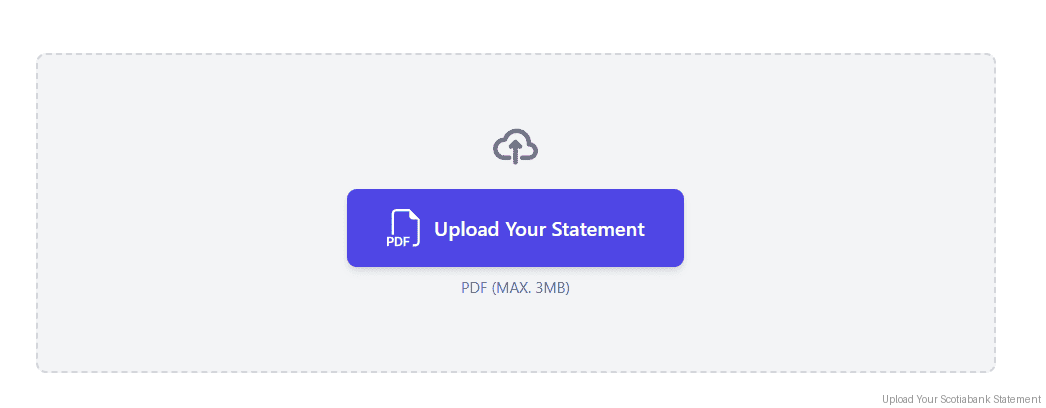
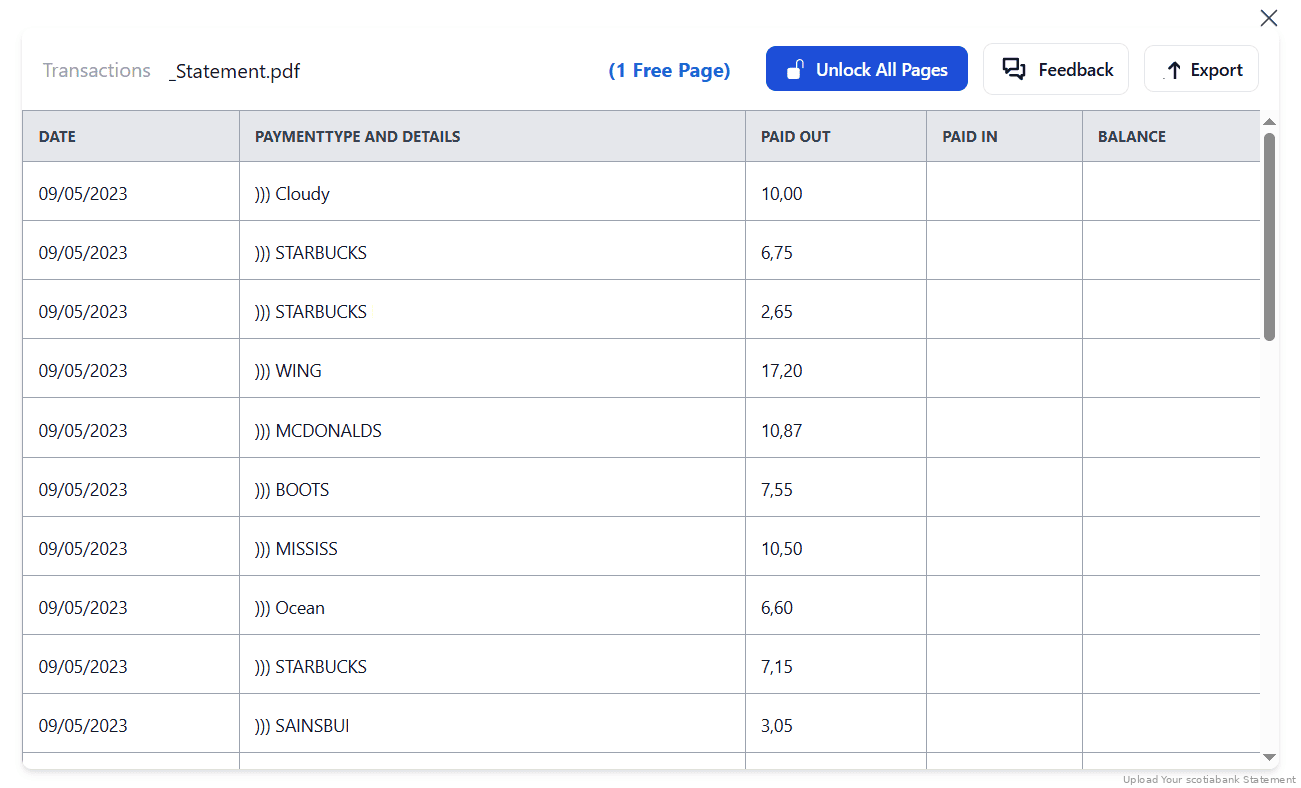
Step 3: Our smart engine converts it to a structured Excel or CSV file.

Step 4: Check result & Download your converted document instantly
Can You Convert Scotiabank Statements Manually?
Scotiabank doesn't use one statement layout. Chequing statements are portrait, with transactions grouped by date and columns for Date, Description, Withdrawals, Deposits and Balance. Visa and Amex card statements put an account activity summary at the top, then a transaction list with only Date, Description and Amount. A copy-paste routine built for one breaks on the other, and Scene+ reward point activity sits inline among real transactions on Visa statements.
There are further traps. USD account statements show amounts in US dollars, which you must not silently mix with CAD rows. Some PDFs include a pre-authorized payment summary that belongs in the transaction table. And joint account statements show every holder's transactions together, so filtering has to happen after extraction, not during a rushed copy.
An automated converter detects the account type, preserves the chronological grouping, extracts Scene+ and interest charges as regular line items, and verifies the extracted totals against Scotiabank's stated opening and closing balances, which is why the four-step method above is the reliable route for CRA filings and lender packages.
Related Guides
More Canadian Bank Guides:
Frequently Asked Questions
How do I download my Scotiabank bank statement in CSV?
Scotiabank doesn't offer a CSV export of the full monthly statement. Business customers on ScotiaConnect can export recent transactions (CSV, Excel, BAI2, QuickBooks and more), but for the statement itself, download the PDF eStatement and convert it with StatementSheet.
What's the difference between Scotia Online and ScotiaConnect?
ScotiaConnect is Scotiabank's business banking platform, with native transaction exports in Fixed Width Text, CSV, Excel, BAI2, Microsoft Money, Quicken, QuickBooks and Simply Accounting. Scotia Online is personal banking, where monthly eStatements are PDFs. Which one you use determines your whole workflow.
Why doesn't my transaction export show my opening balance?
Scotiabank's transaction exports don't include the opening and closing balance summary. Lenders and auditors expect those figures, so convert the PDF statement when balance-complete data matters.
How far back can I get Scotiabank statements?
eStatements are stored online for up to 7 years. Beyond the retention window you'll need to contact Scotiabank support to request archived statements, where a fee may apply and delivery can take several business days.
Will it work for both personal and business banking accounts?
Yes. StatementSheet converts chequing, savings, business banking, Scotiabank Visa and Scotiabank Amex statements, each of which uses a different PDF layout.
Does it support scanned PDFs?
Yes. For best results, use high-quality scans. StatementSheet’s OCR technology accurately extracts data from scanned PDFs.
Are statements free to download from Scotiabank?
Yes. Scotiabank allows customers to download PDF eStatements at no charge through online banking, with up to 7 years of history available.
Tips for Organizing Your Scotiabank Bank Statements
After converting your statements to Excel or CSV, take full advantage of spreadsheet features to stay on top of your finances:
- Reconcile against the stated balancesCompare the sum of your extracted transactions against Scotiabank's printed opening and closing balances. If they don't tie, a row was dropped at a page break.
- Separate Scene+ rewards from real spendingScene+ point activity appears inline on Visa statements. Tag those rows so they don't distort your expense categories or CRA totals.
- Keep USD and CAD rows apartUSD account statements show US dollar amounts as-is, with no conversion. Never merge them into a CAD workbook without a currency column.
- Label your files using clear naming conventionsExample: “Scotiabank_Business_Q2_2025.csv” or “Personal_Chequing_Jan2025.xlsx”
- Secure your files in encrypted cloud storageUse Dropbox, Google Drive, or iCloud, and keep converted copies beyond Scotiabank's 7-year online window so you never pay archive retrieval fees.
Troubleshooting Common Scotiabank Conversion Issues
- You can't find any export optionThe rich export formats live in ScotiaConnect, which is business banking only. On personal Scotia Online, download the PDF eStatement and convert it instead.
- Your export is missing the balance summaryThat's expected. Transaction exports never carry the opening and closing balances. Convert the PDF statement when a lender, auditor or the CRA needs to see them.
- Card statement columns don't match your chequing fileScotiabank Visa and Amex statements only carry Date, Description and Amount, while chequing statements add Withdrawals, Deposits and Balance. Normalise the columns after conversion before combining them.
- A statement looks different from last month'sScotiabank occasionally reformats its eStatement templates. A converter that adapts to layout changes saves you rebuilding a template each time the design shifts.
Final Thoughts: Convert Your Scotiabank PDFs into Actionable Data
ScotiaConnect gives business customers plenty of export formats, and Scotia Online gives personal customers recent activity. Neither exports the full monthly statement as CSV, and neither carries the opening and closing balances that lenders, auditors and the CRA expect.
StatementSheet gives you the power to unlock that data from the PDF eStatement, across chequing, savings, Visa and Amex layouts alike, with Canadian-compliant security and efficiency.
Ready to take control of your finances?
➡️ Convert PDF Bank Statements with StatementSheet in seconds and streamline your reporting today.