
How to Convert East Coast Credit Union Bank Statements to Excel and CSV
A step-by-step guide to export your East Coast Credit Union statements into usable spreadsheet formats.
Managing personal or business banking records is essential, and it gets harder when your transaction history lives only inside PDF e-statements. That's exactly the position many East Coast Credit Union members find themselves in following the credit union's banking platform upgrade, where transaction history is now surfaced through e-Statements rather than a long scrollable ledger.
If you've searched for terms like "east coast credit union export transactions csv", "east coast credit union download statement csv", or "east coast credit bank statement to excel", you're in the right place. This guide walks you through how to convert PDF bank statements from East Coast Credit Union into CSV or Excel format, and introduces StatementSheet, the easiest way to convert PDF Bank Statements into structured spreadsheets.
Can You Download East Coast Credit Union Bank Statements Directly in Excel or CSV?
Short answer: your official statements are PDFs, and since the platform upgrade your transaction history is surfaced through them.
East Coast Credit Union states plainly on its login page that "Your Transaction History is visible in your e-Statements." In practice that means the PDF e-statement is the authoritative record of what happened on your account, rather than a long scrollable transaction ledger you can filter and dump.
Like most Atlantic Canadian credit unions, East Coast runs on the MemberDirect platform maintained by the Canadian Credit Union Association. Export capabilities on MemberDirect vary by credit union and by service package, so it's worth checking your own Accounts view for a download or export control before assuming one way or the other. What is consistent is that the e-statement itself always arrives as a PDF.
So whether or not your particular account offers a transaction export, converting the PDF e-statement is the reliable route to a spreadsheet, and that's where StatementSheet comes in.
Why Convert East Coast Credit Union PDF Bank Statements to Excel or CSV?
PDFs are convenient for viewing your statements, but not ideal for analysis. Here's why you should convert them:
- Your transaction history lives in the e-statementFollowing the platform upgrade, East Coast Credit Union directs members to their e-Statements for transaction history. Converting those PDFs is how you rebuild a searchable, sortable ledger of your own.
- Easier Tax Reporting (CRA Compliance)For self-employed individuals or small business owners in Nova Scotia, having your transactions in CSV format simplifies tax filing and meets Canada Revenue Agency (CRA) requirements.
- Import into Canadian Accounting SoftwareTools like QuickBooks Canada, Sage 50, and Wave Accounting all support CSV imports, which makes reconciliation and bookkeeping much easier. None of them accept a PDF.
- Preserve your own archiveBanking platform migrations can change what history remains visible online. Converting each e-statement as it arrives means your records survive any future upgrade, independent of the credit union's retention window.
- Track Credit Card and Interac SpendingWith East Coast Credit Union credit cards and Interac debit, a detailed CSV file makes it easy to isolate purchases by date range, merchant, or transaction type for better oversight.
E-Statement PDF vs. Converted Spreadsheet: What Changes?
The e-statement holds everything you need. It just doesn't let you do anything with it.
| Feature | PDF e-statement | Converted Excel or CSV |
|---|---|---|
| Official record | Yes | Keeps the PDF as source |
| Sort, filter, pivot | No | Yes |
| Imports into QuickBooks or Sage | No | Yes |
| Survives a platform migration | Only if you saved it | Yes, on your own drive |
| Best for | Proof and archiving | CRA filing, bookkeeping, budgeting |
Rule of thumb: keep the original PDF as your record, and convert a copy to CSV (for accounting imports) or Excel (for analysis).
Why Use StatementSheet?
If you're looking for a fast, secure, and reliable way to extract and export PDF statements into Excel or CSV, StatementSheet is your go-to tool:
- ✔️ Turns e-statement PDFs into a searchable transaction ledger you control
- ✔️ Supports CAD ($) formatting and Canadian date conventions with precision
- ✔️ Handles credit union statement layouts, including MemberDirect-generated e-statements
- ✔️ Compatible with accounting tools used across Canada (QuickBooks Canada, Sage 50, Wave)
- ✔️ Uses OCR to read both digital and scanned PDFs
- ✔️ Converts directly to Excel (.xlsx) and CSV format
- ✔️ Compliant with Canadian data privacy and security standards
- ✔️ Instant output, no need to wait or email files
Which East Coast Credit Union Documents Can You Convert?
East Coast Credit Union serves Nova Scotia through 20 branches. StatementSheet handles its full document range:
- Chequing and savings account e-statements
- East Coast Credit Union Mastercard credit card statements
- Business account statements and point-of-sale settlement records
- Loan and mortgage payment statements
- Older paper statements you've scanned or photographed
How to Convert East Coast Credit Union PDF Bank Statements in Four Easy Steps
Converting your East Coast Credit Union bank statement is quick and easy.
Step 1: Download Your PDF Bank Statement
- Log in to East Coast Credit Union online banking with your Member ID and Personal Access Code (PAC)
- Open your account under the Accounts tab (chequing, savings, or credit card)
- Go to e-Statements, where your transaction history is held
- Select the statement period and download the PDF to your device
While you're there, check whether your account view offers a download or export control for recent transactions, since this varies between credit unions on the MemberDirect platform. Either way, the e-statement PDF is the complete record. If you can't sign in, technical support is available at 1.888.CREDIT-U.
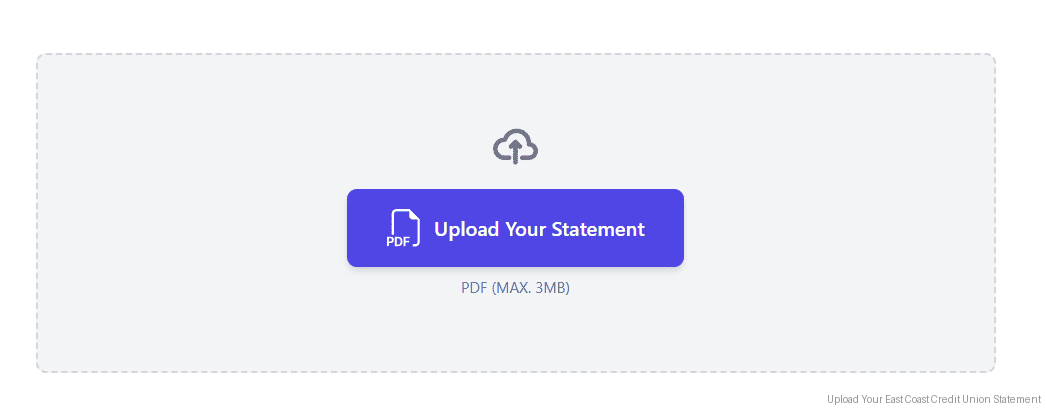
Step 2: Upload your PDF Bank Statement
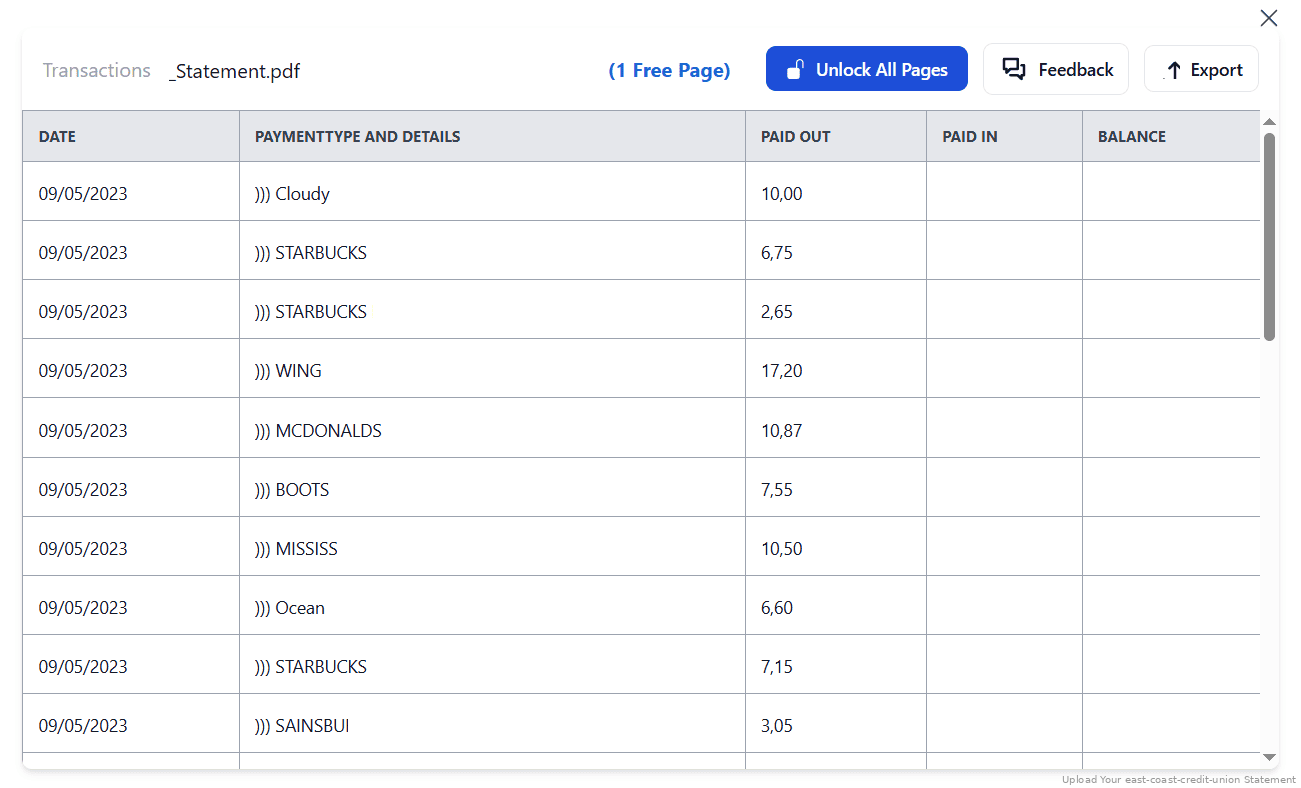
Step 3: Our smart engine converts it to a structured Excel or CSV file.

Step 4: Check result & Download your converted document instantly
Can You Convert East Coast Credit Union Statements Manually?
Copying from a PDF into Excel works for a handful of rows and falls apart beyond that. Columns misalign, line breaks split a single transaction across two rows, and a number that should be a debit lands in the balance column because of where it sat horizontally on the page. Multi-page statements compound each error.
There's a structural problem too. Because your transaction history now lives across separate monthly e-statements rather than one continuous ledger, rebuilding a fiscal year means merging twelve documents by hand and hoping no row was dropped at a page break. Interac e-Transfer and point-of-sale descriptions add their own wrapping.
An automated converter understands the tabular structure, keeps debits, credits and running balances in the right columns across every page, and lets you merge months into one file, which is why the four-step method above is the reliable route for CRA filings and bookkeeping.
Related Guides
More Canadian Bank Guides:
Frequently Asked Questions
Where is my East Coast Credit Union transaction history?
Following the banking platform upgrade, East Coast Credit Union says your transaction history is visible in your e-Statements. Download those PDFs and convert them with StatementSheet to get a sortable, filterable ledger.
How do I download my East Coast Credit Union bank statement in CSV?
Your official e-statement is a PDF. Check your account view for a download or export control, since this varies across credit unions on the MemberDirect platform. Either way, converting the PDF with StatementSheet gives you a clean CSV.
Can I export East Coast Credit Union transactions to Excel?
Not as an .xlsx file from the portal. Download your statement in PDF format, then upload it to StatementSheet, which converts it into Excel format (.xlsx) with clean columns.
Is it safe to use StatementSheet for converting bank statements?
Yes. StatementSheet uses secure encryption protocols and deletes your files after conversion. It’s compliant with Canadian privacy laws.
Does StatementSheet support credit card statements?
Yes. You can convert both personal and business credit card and banking account statements, including Mastercard and Interac transaction records.
Can I convert scanned PDF statements?
Yes. StatementSheet uses advanced OCR technology to extract data from scanned and photographed statements, useful for older paper records.
Does East Coast Credit Union charge to download PDF statements?
No. PDF e-statements are available for free via online banking.
Tips for Organizing Your East Coast Credit Union Bank Statements
Once you’ve converted your PDF bank statements into Excel or CSV, here are some ways to make the most of your data:
- Convert each e-statement as it arrivesSince your transaction history now sits inside monthly e-statements, converting each one on arrival builds the continuous ledger the portal no longer gives you, and protects you from future platform changes.
- Check the running balance across month boundariesWhen you merge twelve converted statements into one workbook, verify the closing balance of each month matches the opening balance of the next. That's how you catch a dropped row.
- Use Excel pivot tablesCreate dynamic reports for monthly reviews, especially helpful for business banking members or freelancers preparing CRA filings.
- Organize files by account and date rangeLabel documents clearly to keep track of multiple accounts across fiscal years, for example "ECCU_Chequing_2025_Q1.xlsx".
- Store securely using cloud storageUse platforms like Dropbox, iCloud, or Google Drive to safely store your financial data for easy access during audits or mortgage applications.
Troubleshooting Common East Coast Credit Union Conversion Issues
- You can't find your older transactionsEast Coast Credit Union directs members to their e-Statements for transaction history. Open each monthly PDF and convert it, rather than scrolling for a ledger that isn't there.
- Your alerts stopped working after the upgradeThe credit union notes that alerts need to be reactivated following the platform change. That's separate from statements, but worth doing while you're logged in.
- Columns land in the wrong place after copyingA number in a credit union statement can be a debit, a credit or a balance depending purely on its horizontal position. Copy-paste loses that context. Convert the PDF instead.
- You can't sign in to download anythingOnline banking uses your Member ID and Personal Access Code (PAC). If either is rejected, technical support is reachable at 1.888.CREDIT-U before you can download any statement to convert.
Final Thoughts: Simplify Your Financial Workflow
With your transaction history now surfaced through e-Statements, working from static PDFs slows down financial planning, budgeting, and tax prep. StatementSheet turns those e-statements into editable spreadsheets ready for analysis or accounting.
Whether you're a freelancer, a small business owner, or simply managing your personal banking with a Nova Scotia credit union, exporting transactions into CSV or Excel saves time and reduces errors.
Take control of your finances with a modern solution.
➡️ Visit StatementSheet today and convert PDF Bank Statements with ease.