
How to Convert PKO Bank Statements to Excel and CSV
A step-by-step guide to turning your PKO Bank Polski statements into usable spreadsheet formats, built for Poland.
PKO Bank Polski offers five export formats, ten years of history and a dedicated file built for tax inspections. On paper it is one of the most generous banks in Europe for getting your data out. In practice, most people discover the wrong format at the wrong moment.
The reason is JPK_WB, the structured statement file the Polish tax authority can demand, which behaves nothing like the CSV you use for bookkeeping. This guide explains which PKO format does what, and how StatementSheet turns your PKO wyciąg PDFs into clean Excel or CSV files.
Can You Download PKO Bank Statements Directly in Excel or CSV?
Short answer: yes, and in more formats than almost any other bank. The difficulty is knowing which one belongs to which task.
From the account history in iPKO you scroll to the bottom, click Pobierz zestawienie and choose from five formats: HTML, CSV, PDF, XLS and XML. Downloads are free and PKO keeps ten years of history, so the depth is genuinely there. The separate Wyciągi tab holds ready-made monthly statements, and those are PDF only.
Then there is JPK_WB, the Jednolity Plik Kontrolny for bank statements. PKO generates it free in iPKO, but it comes with its own rules: XML only, five years back at most, one account at a time, and it cannot be edited. That last point is deliberate, since it exists to be handed to the urząd skarbowy unchanged.
Business users hit a different limit. In iPKO biznes the file reports covering MT940 and Elixir formats only reach back ninety days, which is a much tighter window than the ten years available through ordinary history.
Why Convert PKO PDF Statements to Excel or CSV?
PKO exports plenty of formats. Converting is what makes them usable day to day:
- Work with wyciągi that only exist as PDFThe Wyciągi tab delivers the official monthly statements, and those come as PDF only. If your accountant asked for the wyciąg rather than a data extract, conversion is the route to a spreadsheet.
- Cover the five year przedawnienie periodPolish tax liabilities generally expire after five years, counted from the end of the year the payment deadline fell in. Your records need to survive that whole window, in a form you can actually read.
- Avoid using JPK_WB as a working fileJPK_WB is XML, unmodifiable and built for the tax office rather than for bookkeeping. Trying to reconcile invoices from it is painful. Convert the wyciąg instead and keep JPK_WB for what it is meant for.
- Get past the ninety day business limitIn iPKO biznes, file reports in MT940 and Elixir reach back only ninety days. Anything older has to come from statements, which means converting them.
- Merge accounts JPK_WB keeps apartJPK_WB is generated per account, separately. If you run several accounts, converting the statements lets you combine them into one sheet sorted by date.
JPK_WB vs. Wyciąg PDF: Which Should You Use?
These two files both describe your account, and they are built for entirely different readers.
| Criterion | JPK_WB report | Wyciąg PDF (converted) |
|---|---|---|
| Format | XML only, cannot be edited | Excel or CSV after conversion |
| History reachable | Five years back | Up to ten years of statements |
| Several accounts | No, one account at a time | Yes, merge after converting |
| Intended reader | The urząd skarbowy | You and your accountant |
| Best for | Responding to a formal demand | Bookkeeping, reconciliation, analysis |
Simple rule: Generate JPK_WB when the tax office asks for it, and never before. For everything else, convert the wyciąg and work in a spreadsheet.
Why Use StatementSheet?
StatementSheet reads your PKO wyciąg PDF and turns every transaction line into a structured spreadsheet row, with no copying, pasting or manual cleanup.
- ✔️ Turns the PDF only Wyciągi tab into a working spreadsheet
- ✔️ Reaches years beyond the ninety day iPKO biznes file report limit
- ✔️ Lets you merge accounts that JPK_WB reports separately
- ✔️ Reads Polish column labels such as Data operacji, Tytuł, Kwota and Saldo
- ✔️ Handles złoty comma decimals so amounts calculate correctly
- ✔️ Ready for Comarch, wFirma, Fakturownia, Symfonia and Excel
- ✔️ Scanned statements handled by OCR, with files processed securely
Which PKO Documents Can You Convert?
PKO Bank Polski serves personal and business customers nationwide. StatementSheet handles:
- PKO wyciągi bankowe in PDF, personal and business
- Monthly statements from the Wyciągi tab in iPKO
- Account history exports saved as PDF from iPKO biznes
- Statements older than ninety days, beyond the file report window
- Credit card and savings account statements, plus scanned copies
How to Convert PKO PDF Statements in Four Easy Steps
Here is how to turn your PKO PDF statements into Excel or CSV:
Step 1: Download Your PKO Wyciąg
- Log in to iPKO or iPKO biznes
- Go to Moje produkty, then Konta, and select the account you need
- Open the Wyciągi tab for ready-made monthly statements, or stay in the account history for a custom period
- Choose your period, click Pobierz zestawienie and save the PDF
Statement history reaches back ten years and downloads are free. If you separately need JPK_WB for a tax demand, it is generated from Operacje na koncie via the three dot icon, and the finished report appears under Moje sprawy, Dokumenty do pobrania, Zestawienia.
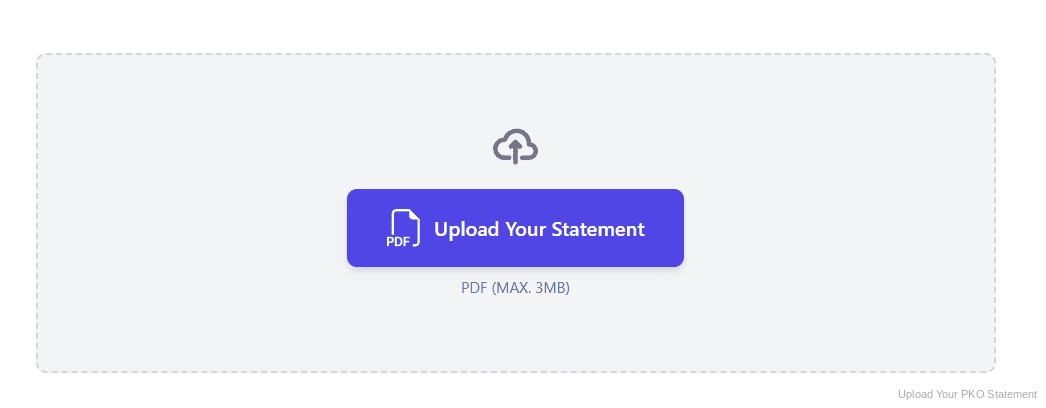
Step 2: Upload Your PDF Bank Statement
Step 3: Our engine converts it into a structured Excel or CSV file
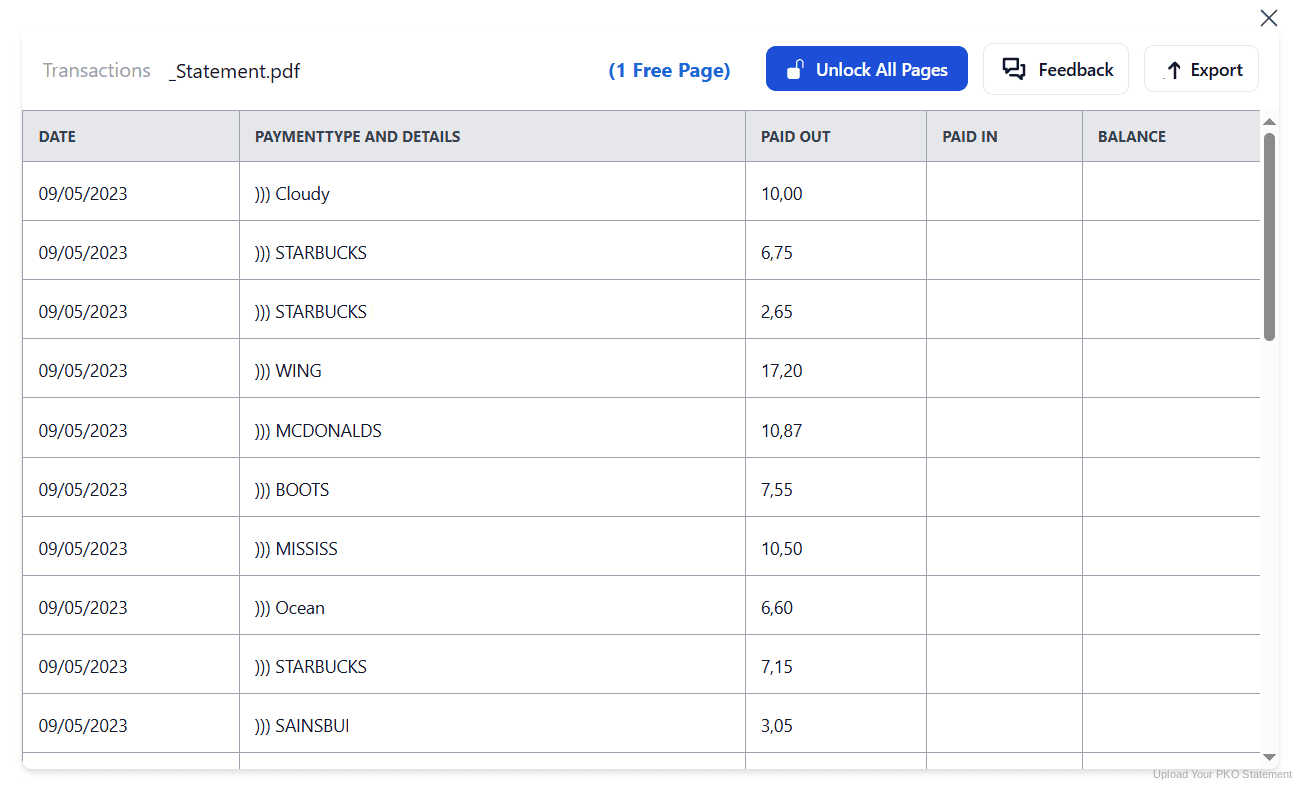
Step 4: Check the result and download your converted file instantly
Can You Convert PKO Statements Manually?
For recent periods you often can, since the account history exports directly to CSV or XLS. The mistakes happen at the edges. People download JPK_WB thinking it is a spreadsheet, then find dense XML they are not allowed to modify, because its whole purpose is to reach the tax office unchanged.
Copying from the wyciąg PDF instead brings the usual damage, plus Polish conventions. Columns carry labels such as Data operacji, Tytuł, Nadawca i odbiorca and Kwota, and złoty amounts use a comma decimal, so figures paste in as text. Long transfer titles wrap onto extra lines and columns drift at page breaks.
An automatic converter reads the wyciąg, maps the Polish labels to consistent headers, normalises złoty decimals and rebuilds the transaction table properly. Check your totals against the closing balance afterwards to confirm the result.
Related Guides
More European Bank Guides:
Frequently Asked Questions
What formats can I download from PKO?
From the account history you can download five formats: HTML, CSV, PDF, XLS and XML. The ready-made monthly statements in the Wyciągi tab are PDF only.
What is JPK_WB and when do I need it?
JPK_WB is the standardised bank statement file for the Polish tax authority. You provide it when an authority conducts a tax audit, verification activities, a customs and fiscal audit or tax proceedings.
How far back can I generate JPK_WB in iPKO?
Up to five years, and separately for each account. The report is free, comes only as XML and cannot be modified, since it has a fixed structure.
How long do I have to supply a JPK on request?
At least three days, with the exact deadline stated in the demand itself. Because the file cannot be edited, it is worth generating and checking it as soon as the request arrives.
How much PKO account history is available?
PKO keeps ten years of history, so statements can be generated across that period. Note that file reports in iPKO biznes, covering MT940 and Elixir, only reach back ninety days.
How long must I keep bank statements in Poland?
Tax records are generally kept until the liability expires, which is five years counted from the end of the calendar year in which the payment deadline fell. Statements supporting your books fall under that rule.
Tips for Organizing Your Converted PKO Statements
Once your statements are converted to Excel or CSV, here is how to get the most out of them:
- Keep JPK_WB separate from your working filesStore JPK_WB reports in their own folder, untouched. They cannot be modified and are meant to be handed over exactly as generated, so never treat one as a draft.
- Export business data before ninety days passIn iPKO biznes the MT940 and Elixir file reports expire from view after ninety days. A quarterly export routine keeps you comfortably inside that window.
- Label files by account, not just by monthBecause reports are generated per account, several files can share the same period. Put the account identifier in the filename before you have a folder of ambiguous names.
- Reconcile against the closing balanceJPK_WB carries opening and closing balances alongside the operations. Checking your converted sheet against those two figures is the quickest way to prove nothing was lost.
- Archive by tax yearThe five year clock runs from the end of the year the payment deadline fell in. Folder converted statements by tax year so you always know what can be discarded.
Troubleshooting Common PKO Conversion Issues
- You downloaded JPK_WB and cannot open it as a spreadsheetJPK_WB is XML by design and is not meant for daily accounting. For bookkeeping, download the wyciąg or use the CSV and XLS options in the account history instead.
- Your file report only covers the last three monthsThat is the ninety day limit on file reports in iPKO biznes. Older periods have to come from statements or ordinary account history, which you can then convert.
- The JPK report is not where you expectedGenerated reports do not download instantly. Look under Moje sprawy, then Dokumenty do pobrania and Zestawienia, where the finished file waits for you.
- You are regenerating JPK_WB in the wrong toolPKO states you do not need to generate these reports in the e-mikrofirma application, because iPKO already produces them. Rebuilding the same file in a second tool only creates a version you then have to reconcile.
- Polish characters are corrupted after importDiacritics such as ą, ć and ł break when a CSV is opened with the wrong encoding. Converting the PDF statement sidesteps the encoding question completely.
Final Thoughts: Take Control of Your Financial Data
PKO gives you five formats, ten years of history and a free JPK_WB report. But JPK_WB is XML for the tax office, monthly wyciągi are PDF only, and business file reports stop at ninety days. Knowing which file serves which purpose is most of the battle.
With StatementSheet, your PKO wyciąg PDFs become clean Excel or CSV files: Polish labels mapped to clear headers, złoty decimals handled properly, accounts merged into one sheet, ready for Comarch, wFirma or your księgowa.
Ready to convert your PKO bank statement to Excel or CSV?
➡️ Ready to convert bank statement PDF to Excel? with no XML to wrestle with.