
How to Convert Erste Bank Statements to Excel and CSV
A step-by-step guide to turning your Erste Bank statements into usable spreadsheet formats, built for Austria.
Austrian law tells you to keep your records for seven years. George, the online banking platform used by Erste Bank and the Sparkassen, shows you three. Closing that four year gap is a paid plug-in, and if you never activated it, the missing years are simply not on screen.
That mismatch between what the Bundesabgabenordnung requires and what your online banking displays is the reason Erste customers end up with folders of PDFs. This guide explains what George exports, where the archive limits bite, and how StatementSheet turns your Erste Bank Kontoauszug PDFs into clean Excel or CSV files.
Can You Download Erste Bank Statements Directly in Excel or CSV?
Short answer: yes, and the export itself is unusually flexible. The catch is not the format, it is how far back you are allowed to go.
George exports search results and account history to CSV, Excel or JSON, and lets you reorder fields by drag and drop, pick your separator and choose the sort order before downloading. There is no PDF option in the export dialogue: for that you use the print function instead.
Then the ceiling appears. George shows three years of history plus the current calendar year by default. Going further requires the 7 Jahre Archiv plug-in, which is a paid add-on, available on its own or bundled in the George Premium subscription. The same three year limit applies to your credit card history.
Statements are a separate matter again. Kontoauszüge are PDFs, offered in A4 and Kontoinfo layouts, and George only generates a new one when there are new transactions, each starting where the last ended. You can also request a signed Kontoauszug, which is the version that serves as proof for the Finanzamt.
Why Convert Erste Bank PDF Statements to Excel or CSV?
George's export is good within its window. Converting is what handles everything outside it:
- Get past the three year defaultWithout the paid 7 Jahre Archiv plug-in, George shows three years plus the current one. Your saved Kontoauszug PDFs do not expire, so converting them recovers the years the interface hides.
- Match the seven year AufbewahrungsfristSection 132 of the Bundesabgabenordnung requires seven years, counted from the end of the calendar year concerned. Converting your archived statements gives you searchable data across that entire span.
- Keep working from the legally valid documentThe Kontoinfo is easier to read but is not legally a Kontoauszug. Converting the actual Kontoauszug means your spreadsheet traces back to the document that counts.
- Skip the UTF-16 encoding surpriseErste's CSV export comes out in UTF-16 with a comma separator, which is not what most spreadsheets assume. Open it carelessly and Austrian umlauts break. A converted file avoids the guesswork.
- Fill the gaps between statementsBecause George only issues a Kontoauszug when transactions occur, a quiet account produces irregular statement numbers. Converting them all into one sheet restores a continuous timeline.
George Export vs. Kontoauszug PDF: Which Should You Use?
Erste separates live transaction data from the statement document. They serve different purposes.
| Criterion | George CSV / Excel export | Kontoauszug PDF (converted) |
|---|---|---|
| History reachable | Three years, seven with the paid plug-in | Whatever you saved, indefinitely |
| Extra cost | Plug-in subscription beyond three years | None, statements are free to download |
| Legal standing | A data extract, not a statement | The Kontoauszug, signed version on request |
| Encoding pitfalls | UTF-16, comma separator | Handled during conversion |
| Best for | Recent months, quick reconciliation | Betriebsprüfung, older years, proof |
Simple rule: For the last few months, export from George and set the separator yourself. For a Betriebsprüfung or any year beyond the archive limit, convert the Kontoauszug.
Why Use StatementSheet?
StatementSheet reads your Erste Bank Kontoauszug PDF and turns every transaction line into a structured spreadsheet row, with no copying, pasting or manual cleanup.
- ✔️ Recovers years hidden behind George's three year default
- ✔️ No plug-in subscription needed to reach older statements
- ✔️ Avoids the UTF-16 encoding and separator issues of the CSV export
- ✔️ Reads German column labels such as Buchungsdatum, Valuta, Umsatz and Saldo
- ✔️ Handles euro comma decimals so amounts calculate correctly
- ✔️ Ready for BMD, RZL, FreeFinance and Excel
- ✔️ Scanned statements handled by OCR, with files processed securely
Which Erste Bank Documents Can You Convert?
Erste Bank and the Sparkassen serve personal and business customers across Austria. StatementSheet handles:
- Erste Bank and Sparkasse Kontoauszüge in PDF, A4 and Kontoinfo layouts
- Signed electronic Kontoauszüge kept as proof for the Finanzamt
- Statements from George and George Business
- Credit card statements, including years beyond the three year history
- Savings and loan account statements, plus scanned copies
How to Convert Erste Bank PDF Statements in Four Easy Steps
Here is how to turn your Erste Bank PDF statements into Excel or CSV:
Step 1: Download Your Erste Bank Kontoauszug
- Log in to George or George Business
- Open your Girokonto, then go to Funktionen and select Kontoauszüge
- Your statements are sorted by year, so expand the year you need
- Choose the document format, tick the signature option if you need proof, then download the PDF
Remember that George only creates a Kontoauszug when new transactions exist, so numbering can look irregular on a quiet account. In George Business you can also generate a Kontoinfo, but note it does not legally count as a Kontoauszug.
Step 2: Upload Your PDF Bank Statement
Step 3: Our engine converts it into a structured Excel or CSV file
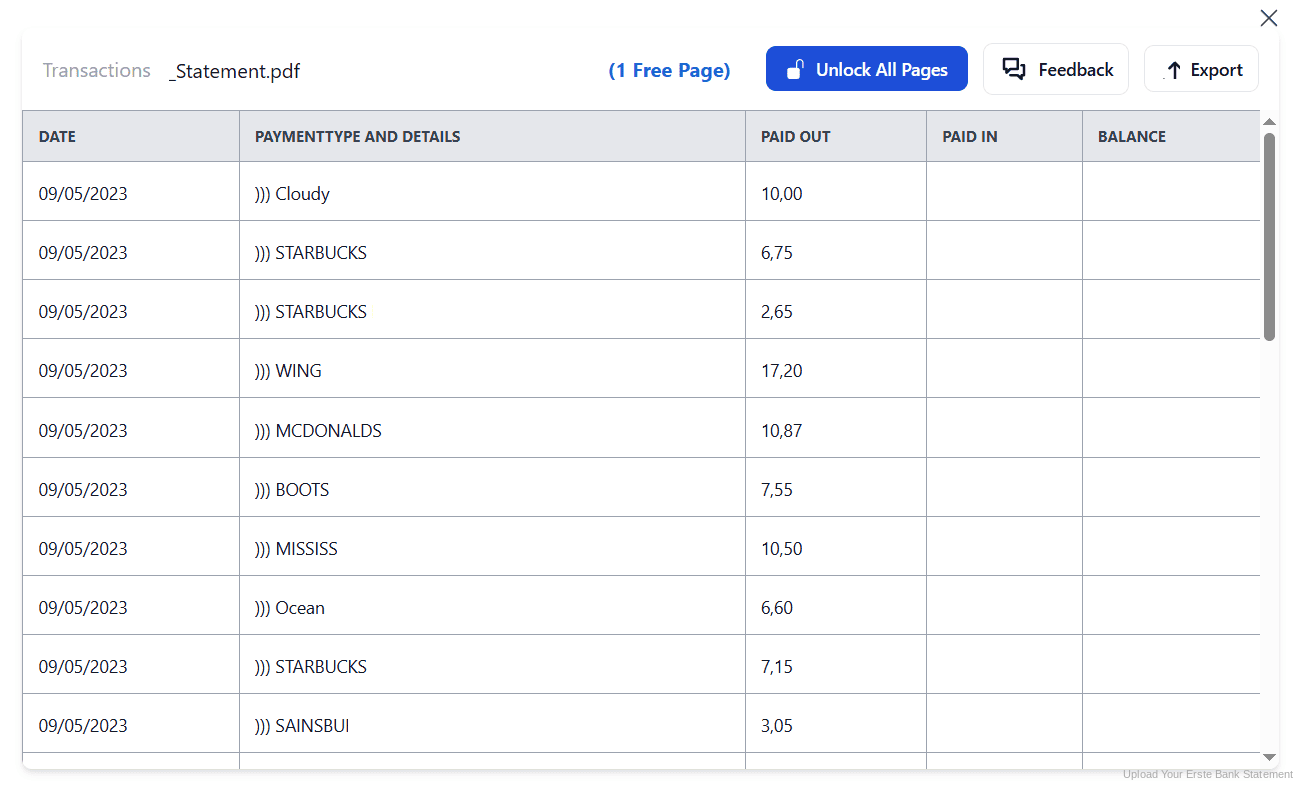
Step 4: Check the result and download your converted file instantly
Can You Convert Erste Bank Statements Manually?
You can, but the CSV route has a specific trap. Erste's export is UTF-16 encoded with a comma separator, so opening it without setting both correctly produces broken umlauts or everything crammed into one column. Because George also lets you reorder the export fields, two colleagues can produce files with different column orders from the same account.
Copying from the Kontoauszug PDF instead brings the usual damage, plus Austrian conventions. Columns carry German labels such as Buchungsdatum, Valuta and Saldo, and euro amounts use a comma decimal, so figures paste in as text. Long Verwendungszweck fields wrap onto several lines and columns drift at page breaks.
An automatic converter reads the Kontoauszug, maps the German labels to consistent headers, normalises euro decimals and rebuilds the transaction table properly. Check your totals against the closing balance afterwards to confirm the result.
Related Guides
More European Bank Guides:
Frequently Asked Questions
How far back does George show my transactions?
George shows three years plus the current calendar year by default. The 7 Jahre Archiv plug-in extends that to seven years plus the current one, but it is a paid add-on rather than a standard feature.
Is the 7 Jahre Archiv plug-in free?
No. It is a paid plug-in, activated on its own or included in the George Premium subscription. Converting statements you already downloaded reaches the same years without a subscription.
Why does my Erste CSV file look scrambled in Excel?
The export uses UTF-16 encoding with a comma separator. If your spreadsheet assumes a different encoding or separator, umlauts break or every field lands in one column. Set both explicitly when opening the file.
Is a Kontoinfo the same as a Kontoauszug?
No. The Kontoinfo is based on the camt.053 format and is easier to read, but it does not legally count as a Kontoauszug. For anything official, use the Kontoauszug itself.
Why has George not created a new Kontoauszug?
A Kontoauszug always starts where the previous one ended, and George only produces a new one when there are new transactions. On a quiet account, that means longer intervals between statements.
How long must I keep bank statements in Austria?
Section 132 of the Bundesabgabenordnung sets seven years for books, records and supporting documents, counted from the end of the calendar year they relate to. Property related records can require considerably longer.
Tips for Organizing Your Converted Erste Bank Statements
Once your statements are converted to Excel or CSV, here is how to get the most out of them:
- Download statements as they appearStatements you have saved are yours regardless of the archive limit. Downloading each Kontoauszug when it is issued means the three year ceiling never becomes your problem.
- Fix your export field order onceGeorge lets you rearrange export fields by drag and drop. Agree one order with your accountant and keep it, otherwise every file needs remapping.
- Request signed statements before an auditIf a Betriebsprüfung calls for electronically signed statements, order them through online banking. You receive a PDF you can forward to the Finanzamt.
- Use the free Datenimport plug-inUnlike the archive plug-in, Datenimport costs nothing and enables MT940 and XML handling in George. Worth activating even if you convert your PDFs.
- Archive by calendar yearThe seven year clock in Austria runs from the end of the calendar year concerned. Folder your converted files by year and the retention arithmetic stays trivial.
Troubleshooting Common Erste Bank Conversion Issues
- Older transactions are not showing in GeorgeYou have reached the three year default. Either activate the paid 7 Jahre Archiv plug-in, or convert the Kontoauszug PDFs you already saved for those years.
- Umlauts appear as strange charactersThe CSV is UTF-16 encoded. Reopen it specifying that encoding with a comma separator, or convert the PDF statement and skip the encoding question entirely.
- Bulk order details are missingGeorge Business asks whether to include the individual transactions inside bulk orders. If you decline, only the summary is exported, so enable it or convert the statement.
- Two exports of the same period do not matchGeorge remembers per-user export settings, and fields can be deselected as well as reordered. Two people exporting the same month can produce files with different columns entirely, which looks like missing data but is a settings difference.
- Statement numbers appear to skipNothing is lost. George issues a Kontoauszug only when transactions occur, so gaps reflect inactivity rather than missing documents.
Final Thoughts: Take Control of Your Financial Data
George exports cleanly to CSV, Excel and JSON, but it shows three years unless you pay for more, encodes its CSV in UTF-16, and issues statements only when transactions occur. Austrian law, meanwhile, asks for seven years.
With StatementSheet, your Erste Bank Kontoauszug PDFs become clean Excel or CSV files: German labels mapped to clear headers, euro decimals handled properly, older years recovered without a plug-in, ready for BMD, RZL or your Steuerberater.
Ready to convert your Erste Bank statement to Excel or CSV?
➡️ Ready to convert bank statement PDF to Excel? with no archive plug-in to pay for.