
How to Convert DNB Bank Statements to Excel and CSV
A step-by-step guide to turning your DNB statements into usable spreadsheet formats, built for Norway.
DNB has an export button labelled Til CSV fil, and clicking it downloads a .txt file. The format inside is CSV, but the extension is not, and accounting software that filters by file type simply will not see it. That is the first of several quirks worth knowing before you rely on DNB's export for a year-end.
This guide explains what DNB actually exports, where the eighteen month and one year limits apply, and how StatementSheet turns your DNB PDF statements into clean Excel or CSV files.
Can You Download DNB Bank Statements Directly in Excel or CSV?
Short answer: yes, but with caveats. The CSV button downloads a .txt file, and you can only export one account at a time.
DNB, Norway's largest bank, does provide exports. From the business online bank you open Konto, then Siste transaksjoner, pick the account and period, click Vis oversikt, and two buttons appear at the top of the page: Til Excel and Til CSV fil. Statements themselves live elsewhere, under Konto and then Kontoutskrift, where DNB keeps the last eighteen months.
Then the quirks start. The Til CSV fil button downloads a .txt file whose contents are in CSV format. Software that filters uploads by extension will not offer it, and you may need to rename it before anything accepts it. Second, there is no multi-account export: if you have several accounts, you must produce one file per account. DNB also advises exporting one year at a time when your period spans several years.
Two deadlines matter as well. Annual statements sit in the archive for up to ten years, but once an account is closed, its statements and annual summaries remain available for only one year. And an annual statement is only produced if the interest earned exceeds one krone, so low-interest accounts have none at all, leaving the final Kontoutskrift as the record. Converting those PDFs is the reliable path to a spreadsheet.
Why Convert DNB PDF Statements to Excel or CSV?
DNB's export works, but only if you know its rules. Converting removes them:
- Skip the .txt extension problemDNB's CSV button produces a file with a .txt extension. Accounting software that filters by file type will not see it, and renaming files before every import is not a workflow. A converted file arrives as a proper spreadsheet.
- Handle several accounts in one passDNB requires a separate export for each account, with no combined option. Converting statements lets you merge accounts into a single sheet sorted by date instead of juggling files.
- Rescue statements from closed accountsOnce you close a DNB account, its statements and annual summaries stay available for just one year. Converting and archiving them keeps that history long after the bank stops showing it.
- Cover low-interest accounts with no annual statementDNB only produces an annual statement when interest earned exceeds one krone. For everything below that, the last Kontoutskrift is your record, and converting it gives you the figures in columns.
- Consolidate accounts across six countriesThe business online bank covers DNB accounts in Norway, Sweden, Denmark, Finland, England and Germany. Converting each statement into the same structure is what makes them comparable.
DNB Export vs. PDF Statement: Which Should You Use?
DNB separates raw transaction export from the Kontoutskrift. They behave differently.
| Critère | Til CSV fil / Til Excel | Kontoutskrift PDF (converted) |
|---|---|---|
| File you actually receive | A .txt file in CSV format | A proper spreadsheet after conversion |
| Multiple accounts at once | No, one file per account | Yes, merge after converting |
| History available | The period you select | Eighteen months, ten years for annual |
| Official document | No, a transaction extract | Yes, the Kontoutskrift is the record |
| Best for | Quick checks on one account | Year-end, audits, closed accounts |
Simple rule: For a single account and a recent period, DNB's export is workable once you handle the extension. For year-end, several accounts or a closed account, convert the Kontoutskrift.
Why Use StatementSheet?
StatementSheet reads your DNB Kontoutskrift PDF and turns every transaction line into a structured spreadsheet row, with no copying, pasting or manual cleanup.
- ✔️ Avoids the .txt extension that DNB's CSV button produces
- ✔️ Lets you merge several accounts instead of exporting one file each
- ✔️ Preserves statements from closed accounts beyond DNB's one year window
- ✔️ Reads Norwegian column labels such as Dato, Tekst, Ut, Inn and Saldo
- ✔️ Handles NOK comma decimals so amounts calculate correctly
- ✔️ Ready for Fiken, Tripletex, Visma and Excel
- ✔️ Scanned statements handled by OCR, with files processed securely
Which DNB Documents Can You Convert?
DNB serves personal and business customers in Norway and across northern Europe. StatementSheet handles:
- DNB Kontoutskrift statements in PDF, personal and business
- DNB årsoppgave annual statements from the archive
- Statements from DNB accounts in Sweden, Denmark, Finland, England and Germany
- Statements from closed DNB accounts saved within the one year window
- Card and loan statements, plus scanned copies
How to Convert DNB PDF Statements in Four Easy Steps
Here is how to turn your DNB PDF statements into Excel or CSV:
Step 1: Download Your DNB Kontoutskrift
- Log in to DNB Nettbank or the business online bank
- Open the main menu Konto, then select Kontoutskrift
- Choose the account and the period you need, within the last eighteen months
- Download the statement as a PDF and save it
Annual statements are in the archive, going back up to ten years. Note that only Norwegian accounts have an årsoppgave available in the online bank: foreign accounts send theirs by post. In a business online bank, some documents can only be retrieved by the administrator.
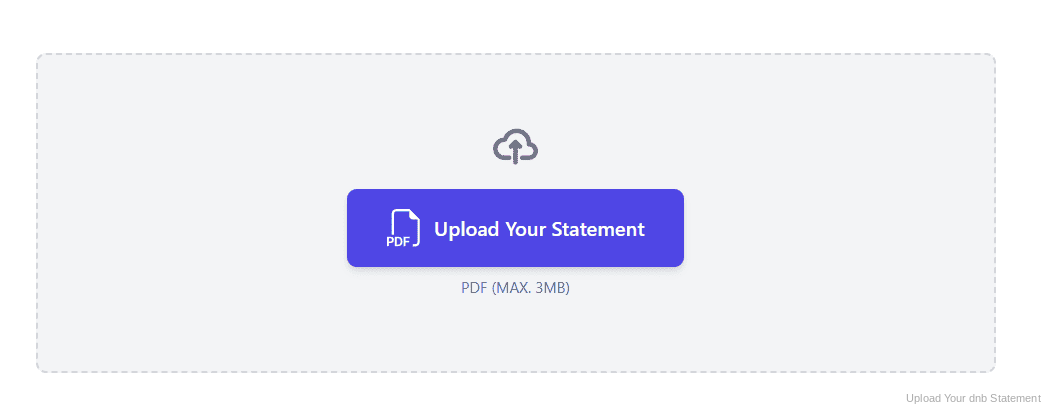
Step 2: Upload Your PDF Bank Statement
Step 3: Our engine converts it into a structured Excel or CSV file
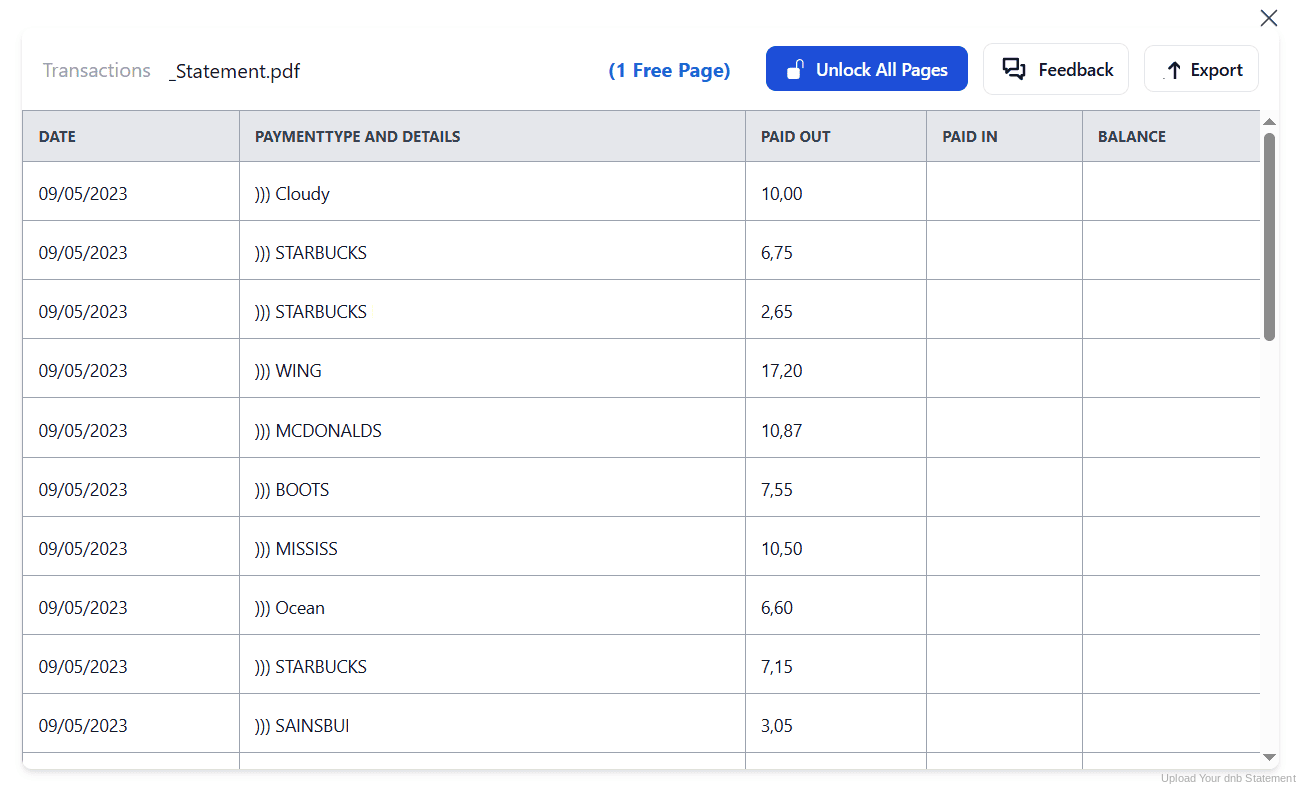
Step 4: Check the result and download your converted file instantly
Can You Convert DNB Statements Manually?
DNB's own export sets several traps. The CSV button gives you a .txt file that many tools will not accept without renaming. There is no combined export, so each account needs its own file. And DNB itself recommends exporting one year at a time when your period spans several, which means stitching files together afterwards.
Copying from the PDF instead brings the usual damage, plus Norwegian conventions. Columns are labelled Dato, Tekst, Ut, Inn and Saldo, and amounts use a comma decimal, so figures paste in as text. Long payment descriptions wrap onto a second line and columns drift at page breaks.
An automatic converter reads the Kontoutskrift, maps the Norwegian labels to clear column headers, normalises NOK decimals and rebuilds the transaction table properly. Check your totals against the closing balance afterwards to confirm the result.
Related Guides
More Nordic Bank Guides:
Frequently Asked Questions
Why does DNB's CSV button download a .txt file?
The Til CSV fil button produces a file whose contents are in CSV format but whose extension is .txt. Some accounting software will not recognise it until the extension is changed, which is a common source of failed imports.
Can I export several DNB accounts at once?
No. DNB requires one file per account: if you have several accounts, you have to repeat the export for each one. Converting the statements instead lets you merge them into a single sheet.
How far back do DNB statements go?
In the business online bank, Kontoutskrift covers the last eighteen months. Annual statements in the archive go back up to ten years.
What happens to statements when I close a DNB account?
Statements and annual summaries for a closed account remain available in the online bank for one year after closure. After that they are no longer accessible, so download and convert them while you still can.
Why is there no annual statement for my account?
DNB only produces an årsoppgave if the interest earned exceeds one krone. Below that threshold, use the final Kontoutskrift instead, which also shows the balance and interest earned.
Can I get statements for DNB accounts abroad?
The business online bank lets you retrieve statements for DNB accounts in Norway, Sweden, Denmark, Finland, England and Germany. However, only Norwegian accounts have an annual statement online: foreign ones are sent by post.
Tips for Organizing Your Converted DNB Statements
Once your statements are converted to Excel or CSV, here is how to get the most out of them:
- Export one year at a timeDNB advises exporting a single year at a time when your period spans several. Follow that, convert each year, then merge them into one sheet rather than fighting a multi-year export.
- Save everything before closing an accountOnce an account is closed you have only one year to retrieve its statements. Download and convert them at closure, not when you eventually need them.
- Check the file extension before importingIf your accounting software cannot see the exported file, it is almost certainly the .txt extension. Renaming works, but converting the statement avoids the issue entirely.
- Know who the administrator isIn a business online bank, some documents can only be retrieved by the administrator, shown on the right of the front page. Identify them before a year-end deadline rather than during it.
- Keep records for five yearsNorwegian bookkeeping rules require records to be kept for five years. Keep the original PDF: in a review it is the source document that counts, not your spreadsheet.
Troubleshooting Common DNB Conversion Issues
- Your accounting software cannot see the exported fileDNB's CSV button downloads a .txt file. Either rename the extension, or convert the Kontoutskrift PDF, which produces a file your software will accept directly.
- You cannot export all your accounts togetherThere is no combined export. Produce one file per account, or convert the statements and merge them into a single sheet afterwards.
- A closed account's statements have disappearedStatements for closed accounts stay online for one year only. If the window has passed, contact the bank; otherwise download and convert them immediately.
- Amounts are treated as textNorwegian amounts use a comma decimal, which spreadsheets read as text when pasted. A clean conversion returns them as numbers you can calculate with.
Final Thoughts: Take Control of Your Financial Data
DNB does export, but the CSV button produces a .txt file, each account needs its own export, statements reach back eighteen months, and closed accounts disappear after a year.
With StatementSheet, your DNB Kontoutskrift PDFs become clean Excel or CSV files: Norwegian labels mapped to clear headers, NOK decimals handled properly, accounts merged into one sheet, ready for Fiken, Tripletex or your accountant.
Ready to convert your DNB bank statement to Excel or CSV?
➡️ Ready to convert bank statement PDF to Excel? with no .txt extension to work around.