
How to Convert UniCredit Bank Statements to Excel and CSV
A step-by-step guide to turning your UniCredit statements into usable spreadsheet formats, built for Italy.
UniCredit draws a line most customers never notice. The estratto conto is the official statement, issued quarterly, carrying legal and tax value. The lista movimenti is the live transaction list you browse online, and it carries none. Export the second when your accountant asked for the first, and the file will come back.
This guide explains the difference, what UniCredit actually exports, and how StatementSheet turns your UniCredit PDF statements into clean Excel or CSV files.
Can You Download UniCredit Bank Statements Directly in Excel or CSV?
Short answer: you can export the transaction list, but not the official statement. The estratto conto is a PDF.
The distinction matters more than it sounds. The estratto conto is UniCredit's official statement, issued on a set cycle, usually quarterly, and it carries legal and tax value. Its official format is PDF. The lista movimenti is the real-time transaction view in your client area, useful for daily monitoring but without that standing.
You can export the transaction list. In UniWeb, once the movements for a period are displayed, a function called Scarica i dati visualizzati lets you pick a format, typically .xls or .txt. From the app, the movements section offers an export or share option producing a CSV or text file. But UniCredit is clear that this file does not carry the legal value of the official statement.
There is a practical sting in the export too. The standard workflow documented for Italian accounting software is to export as .xls or .txt, then open the file and re-save it as .csv, since that is what TeamSystem, Zucchetti and similar packages expect. Two conversions before the data is usable. Converting the estratto conto PDF gives you the official document and a spreadsheet in one step.
Why Convert UniCredit PDF Statements to Excel or CSV?
The export gives you a list without legal standing. Converting gives you the statement as data:
- Work from the document that carries legal valueThe estratto conto has legal and tax standing; the exported lista movimenti does not. Converting the statement means your figures come from the document an accountant or the tax authority will accept.
- Skip the double conversionThe documented route is to export .xls or .txt, then re-save as .csv for your accounting software. Converting the PDF produces a usable file directly, without the intermediate step.
- Handle repeated column headersOn long statements UniCredit repeats the column headers on every page. Copied into a spreadsheet they become duplicate rows that quietly corrupt your totals. A proper conversion removes them.
- Keep both dates separateUniCredit statements carry a booking date and a value date side by side. Pasted flat they merge into one cell, and reconciliation drifts. Conversion keeps them in distinct columns.
- Make numeric causali readableLike other Italian banks, UniCredit identifies transaction types with numeric codes rather than plain descriptions. Converted into clean columns, those codes stay aligned with the entries they belong to.
Estratto Conto vs. Lista Movimenti: Which Do You Actually Need?
UniCredit treats these as two different things, and so does your accountant.
| Critère | Lista movimenti (exported) | Estratto conto PDF (converted) |
|---|---|---|
| Legal and tax value | No, explicitly stated | Yes, it is the official document |
| How often issued | Live, any period you filter | On a set cycle, usually quarterly |
| Formats offered | .xls or .txt, then re-saved as .csv | PDF, converted to a workbook |
| Ready for accounting software | After two conversions | Yes, directly |
| Best for | Daily monitoring | Tax filing, audits, formal records |
Simple rule: For checking your balance during the week, the lista movimenti is fine. For anything an accountant or the Agenzia delle Entrate will see, convert the estratto conto.
Why Use StatementSheet?
StatementSheet reads your UniCredit estratto conto PDF and turns every transaction line into a structured spreadsheet row, with no copying, pasting or manual cleanup.
- ✔️ Works from the estratto conto, the document that carries legal value
- ✔️ Removes the repeated column headers that appear on every page
- ✔️ Keeps data registrazione and data valuta in separate columns
- ✔️ Handles UniCredit's multi-column layout and multi-line descriptions
- ✔️ Euro amounts with comma decimals returned as calculable numbers
- ✔️ Ready for TeamSystem, Zucchetti, Fatture in Cloud and Excel
- ✔️ Scanned statements handled by OCR, with files processed securely
Which UniCredit Documents Can You Convert?
UniCredit serves personal and business customers in Italy and across Europe. StatementSheet handles:
- UniCredit estratto conto statements in PDF, personal and business
- UniCredit card statements
- Business statements from Banca Multicanale per Azienda
- Statements exported from UniWeb and re-saved as PDF
- Scanned or archived paper UniCredit statements
How to Convert UniCredit PDF Statements in Four Easy Steps
Here is how to turn your UniCredit PDF statements into Excel or CSV:
Step 1: Download Your UniCredit Estratto Conto
- Go to unicredit.it and open Area Clienti at the top right
- Enter your codice di adesione and personal PIN, then confirm with the Mobile Token in the UniCredit app
- Open your documents and select the estratto conto for the period you need
- Download the statement as a PDF and save it
If you export the lista movimenti instead, UniWeb offers Scarica i dati visualizzati in .xls or .txt, and the app offers an export or share option. Remember that this file does not carry the legal value of the official estratto conto. Note too that activating Banca Multicanale, the prerequisite for online services, requires visiting a branch in person to sign the contract.
Step 2: Upload Your PDF Bank Statement

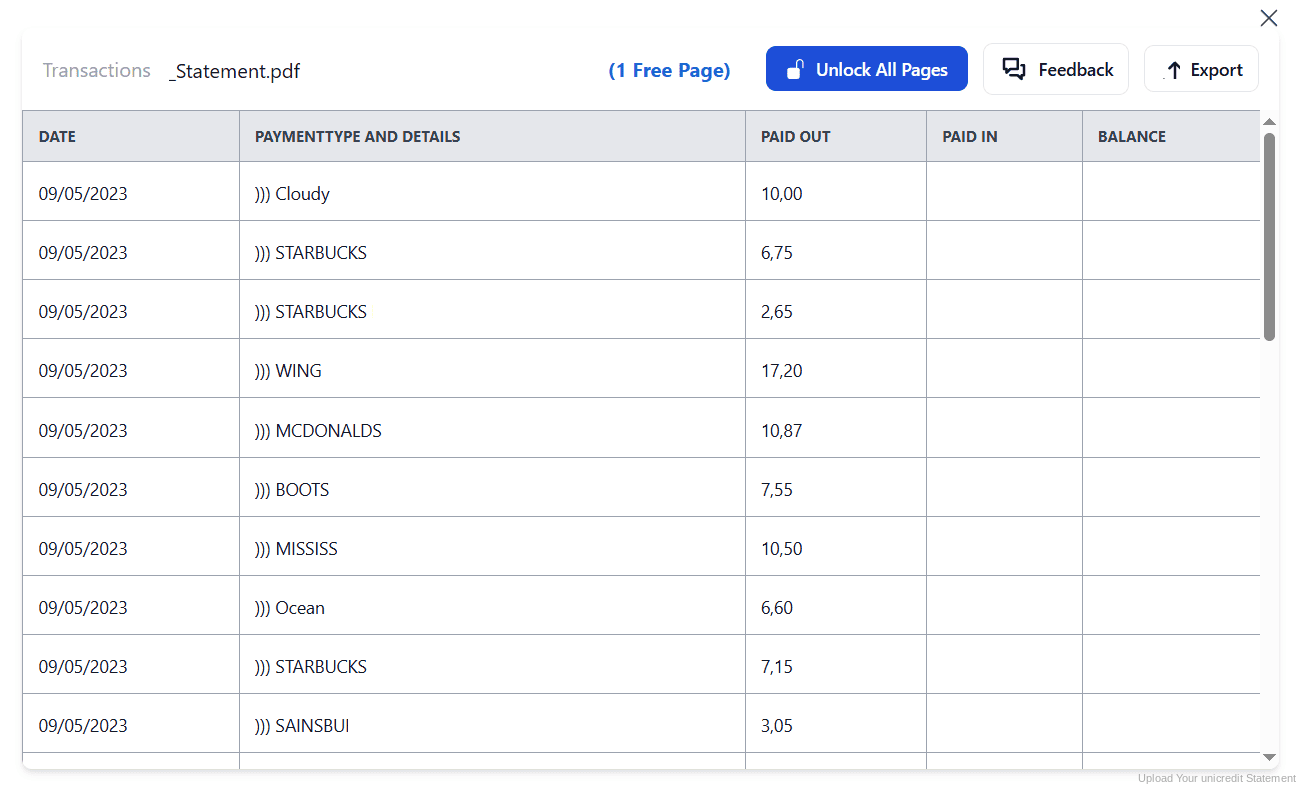
Step 3: Our engine converts it into a structured Excel or CSV file

Step 4: Check the result and download your converted file instantly
Can You Convert UniCredit Statements Manually?
UniCredit statements are among the harder ones to copy by hand. The layout runs across several columns, and on longer statements the column headers repeat on every page, so a straight copy produces duplicate header rows scattered through your data. Detailed descriptions break across successive lines, splitting single transactions in two.
The export route is not much better. You end up exporting .xls or .txt, opening it, then re-saving as .csv before your accounting software will look at it. And because transaction types arrive as numeric causali rather than descriptions, a misaligned column leaves you with codes attached to the wrong entries.
An automatic converter reads the estratto conto, strips repeated headers, merges multi-line descriptions and rebuilds data registrazione, data valuta, descrizione, dare, avere and saldo as real columns. Check your totals against the closing balance afterwards to confirm the result.
Related Guides
More Italy Bank Guides:
Frequently Asked Questions
What is the difference between estratto conto and lista movimenti?
The estratto conto is the official statement, issued on a set cycle and usually quarterly, and it carries legal and tax value. The lista movimenti is the real-time transaction view in your client area, useful for monitoring but without legal standing.
Can I export UniCredit transactions to Excel?
Yes, but it is the transaction list, not the official statement. In UniWeb, use Scarica i dati visualizzati and choose .xls or .txt. Most accounting software then expects you to re-save the file as .csv.
Does the file exported from the app have legal value?
No. UniCredit states that the file exported or shared from the app does not carry the legal value of the official estratto conto. For tax or audit purposes, use the estratto conto itself.
How do I activate Banca Multicanale?
Banca Multicanale is the prerequisite for UniCredit's online services, and activating it requires visiting your branch in person to sign the contract. It cannot be completed online if the service is not already active.
Why do duplicate rows appear when I copy my statement?
On long statements UniCredit repeats the column headers on every page. Copied into a spreadsheet those headers become extra rows in the middle of your data. A proper conversion removes them automatically.
What are the numeric causali on my statement?
Italian banks including UniCredit identify transaction types with numeric codes rather than descriptive text. Some follow the CBI standard, so the same code means the same thing across banks that use it.
Tips for Organizing Your Converted UniCredit Statements
Once your statements are converted to Excel or CSV, here is how to get the most out of them:
- Use the estratto conto for anything officialOnly the estratto conto carries legal and tax value. Keep the lista movimenti for your own monitoring, and convert the official statement whenever an accountant or the tax authority is involved.
- Reconcile on data valuta, not booking dateStatements carry both dates. Interest and reconciliation follow the value date, so filter on that column once your file is converted rather than on the booking date.
- Build a lookup for your causali codesNumeric transaction codes repeat month after month. A small lookup table in your workbook turns them into readable categories once, rather than every quarter.
- Collect quarterly statements as they arriveSince the official statement is usually quarterly, four documents cover your year. Convert each as it is issued and your annual picture assembles itself.
- Keep records for ten yearsItalian law requires accounting records to be kept for ten years. Keep the original PDF: in an inspection it is the source document that counts, not your spreadsheet.
Troubleshooting Common UniCredit Conversion Issues
- Your accountant rejected the file you sentYou most likely sent an exported lista movimenti, which has no legal value. Download the estratto conto instead and convert that.
- Header rows appear in the middle of your dataUniCredit repeats column headers on every page of long statements. A clean conversion filters them out, whereas copying and pasting preserves every one.
- Your accounting software will not read the exportThe exported .xls or .txt usually needs re-saving as .csv first. Converting the PDF statement produces a file your software accepts without that extra step.
- Transactions are split across two rowsLong descriptions wrap onto a second line in the PDF. Conversion merges them back into a single cell so each transaction occupies one row.
Final Thoughts: Take Control of Your Financial Data
UniCredit lets you export the lista movimenti, but it says plainly that the file has no legal value. The estratto conto, the document that does, arrives quarterly as a PDF with repeated headers and multi-line descriptions.
With StatementSheet, your UniCredit estratto conto PDFs become clean Excel or CSV files: headers stripped, both dates preserved, descriptions merged, ready for TeamSystem, Zucchetti or your commercialista.
Ready to convert your UniCredit bank statement to Excel or CSV?
➡️ Ready to convert bank statement PDF to Excel? working from the document that carries legal value.