
How to Convert Hang Seng Bank Statements to Excel and CSV
A step-by-step guide to turning your Hang Seng statements into usable spreadsheet formats, built for Hong Kong.
Hang Seng has made the choice for you. Paper statements now carry an annual service fee, and the way to avoid it is to register for e-Statements. That is fine until you need to reconcile: what you download is a bilingual PDF, and there is no CSV or Excel anywhere in Personal e-Banking.
This guide explains what Hang Seng actually provides, who is exempt from the paper fee, and how StatementSheet turns your Hang Seng PDF statements into clean Excel or CSV files.
Can You Download Hang Seng Bank Statements Directly in Excel or CSV?
Short answer: no. Hang Seng provides e-Statements as PDFs through Personal e-Banking, with no CSV or Excel export.
Hang Seng Bank, a wholly owned subsidiary of the HSBC Group headquartered in Central, delivers statements through its e-Statement and e-Advice service. You view and download them from Hang Seng Personal e-Banking or the Personal Banking mobile app. The bank presents it as a way to cut paper consumption.
There is a financial nudge behind that. Hang Seng applies a Paper Statement Service Annual Fee, covering both principal and supplementary cards, though supplementary cards sharing the same credit limit are excluded. Investment, loan, mortgage and Hang Seng insurance accounts are not charged, and customers under 18 or aged 65 and above, CSSA recipients and holders of a disability document are exempt. For joint accounts, one exempt holder exempts the account.
Registering for e-Statements avoids the fee entirely, which is why most customers end up there. But what you download is a PDF, typically bilingual in English and Chinese and often covering multiple currencies. Nothing in Personal e-Banking turns that into a spreadsheet, so converting the PDF is the direct route.
Why Convert Hang Seng PDF Statements to Excel or CSV?
The e-Statement solves the paper fee, not the reconciliation problem:
- Get the CSV Personal e-Banking does not offerHang Seng lets you view and download e-Statements, but only as PDFs. There is no CSV, Excel, QIF or OFX option. Conversion produces exactly the file the bank does not provide.
- Handle bilingual statements cleanlyHong Kong statements mix English and traditional Chinese, which trips up generic tools and manual copying alike. A proper conversion keeps descriptions intact in a single cell.
- Separate your currenciesHang Seng statements often present more than one currency in the same document. Converted into columns, each currency can be filtered and totalled separately instead of being added together by mistake.
- Make the switch to e-Statements worthwhileMost customers register for e-Statements to avoid the paper fee, then discover the PDF is harder to work with than paper was. Converting restores the ability to total and audit your own records.
- Prepare profits tax and your accountantA clean spreadsheet imports into Xero or your accounting software without retyping, which matters when you are preparing profits tax computations for the Inland Revenue Department.
e-Statement PDF vs. Converted File: What Changes?
Hang Seng gives you one electronic format. Here is what conversion adds.
| Critère | Hang Seng e-Statement (PDF) | Converted file (Excel / CSV) |
|---|---|---|
| Avoids the paper statement fee | Yes, that is the point | Starts from the same e-Statement |
| Sortable and filterable | No | Yes |
| Currencies separated | No, presented together | Yes, as distinct columns |
| Imports into accounting software | No | Yes, as separate columns |
| Best for | Reading and record keeping | Reconciliation, audits, profits tax |
Simple rule: For reading a month or proving a transaction, the e-Statement is the document. For anything you need to total, filter or import, convert it.
Why Use StatementSheet?
StatementSheet reads your Hang Seng PDF statement and turns every transaction line into a structured spreadsheet row, with no copying, pasting or manual cleanup.
- ✔️ Produces the CSV and .xlsx workbook Personal e-Banking does not offer
- ✔️ Reads bilingual English and Chinese statements without garbling descriptions
- ✔️ Keeps multi-currency entries separate rather than blending them
- ✔️ Columns for Date, Description, Withdrawals, Deposits and Balance, with wrapped descriptions merged
- ✔️ Hong Kong dollar amounts returned as numbers you can calculate with
- ✔️ Ready for Xero and Hong Kong accounting workflows
- ✔️ Scanned statements handled by OCR, with files processed securely
Which Hang Seng Documents Can You Convert?
Hang Seng serves personal, wealth and commercial customers across Hong Kong. StatementSheet handles:
- Hang Seng savings and current account e-Statements in PDF
- Hang Seng credit card statements, principal and supplementary
- Hang Seng Spending Card statements
- Hang Seng commercial and business account statements
- e-Advices and scanned paper statements
How to Convert Hang Seng PDF Statements in Four Easy Steps
Here is how to turn your Hang Seng PDF statements into Excel or CSV:
Step 1: Download Your Hang Seng e-Statement
- Log in to Hang Seng Personal e-Banking, or open the Personal Banking mobile app
- Open the e-Statement and e-Advice section
- Select the account and the statement month you need
- View the statement, then download it as a PDF
Not registered yet? In Personal e-Banking, go to Customer Services, then Account Maintenance, then Account List and enable e-Statement or e-Advice. Registering also avoids the Paper Statement Service Annual Fee, unless you already qualify for an exemption.
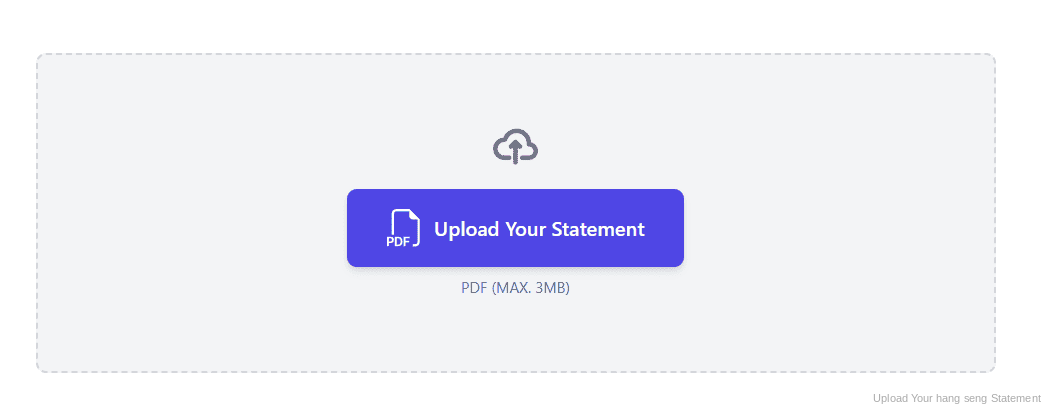
Step 2: Upload Your PDF Bank Statement
Step 3: Our engine converts it into a structured Excel or CSV file
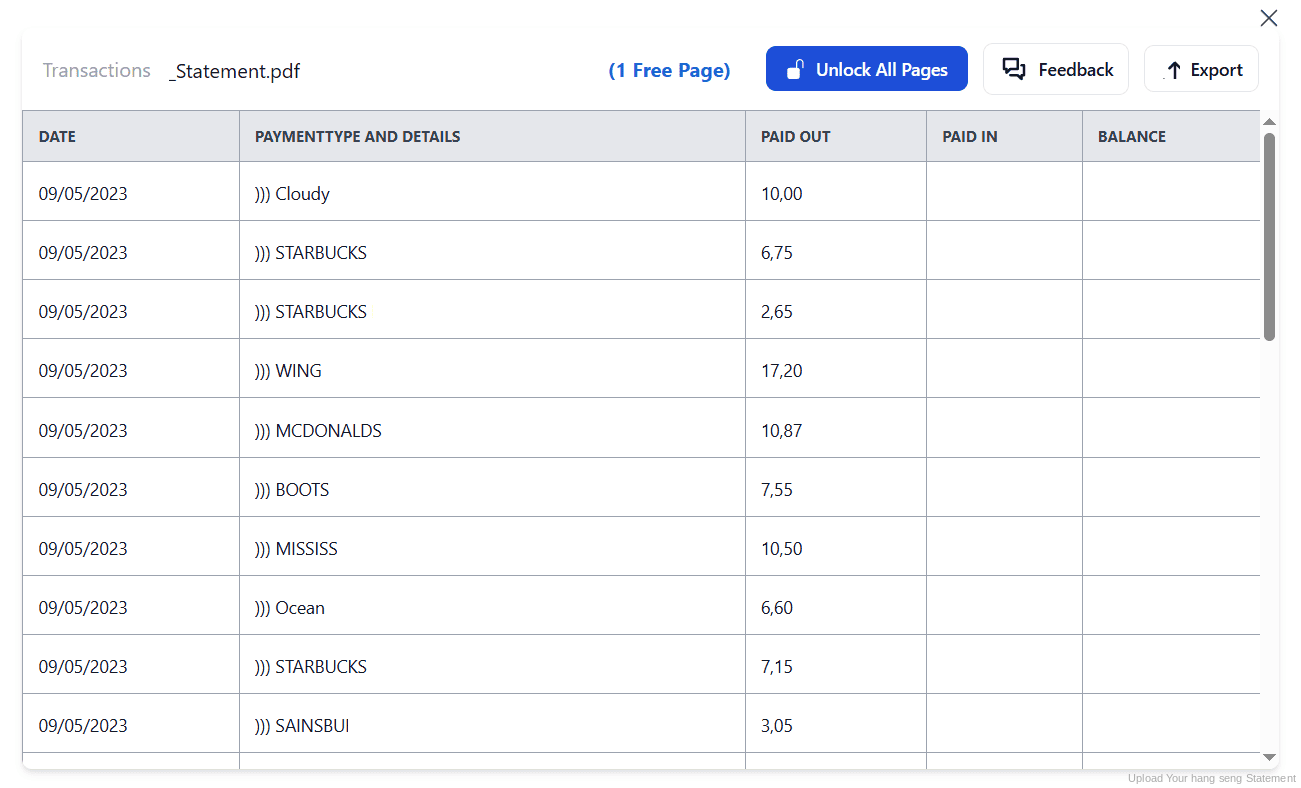
Step 4: Check the result and download your converted file instantly
Can You Convert Hang Seng Statements Manually?
You can copy and paste, but Hong Kong statements make it harder than most. Descriptions mix English and traditional Chinese, so text often arrives broken or in the wrong cell. And where a statement covers several currencies, a careless paste stacks them into one column and your totals become meaningless.
There is no export to fall back on. With no CSV in Personal e-Banking, every month exists only as a PDF, so a financial year means twelve rounds of the same work, each with columns drifting at page breaks and amounts landing as text rather than numbers.
An automatic converter reads the statement, keeps bilingual descriptions intact, separates currencies and rebuilds Date, Description, Withdrawals, Deposits and Balance as real columns. Check your totals against the closing balance afterwards to confirm the result.
Related Guides
More Hong Kong Bank Guides:
Frequently Asked Questions
Can I export Hang Seng transactions to CSV or Excel?
No. Hang Seng provides e-Statements and e-Advices as PDFs through Personal e-Banking and the mobile app, with no CSV, Excel, QIF or OFX option. Download the PDF and convert it with StatementSheet.
Does Hang Seng charge for paper statements?
Yes. Hang Seng applies a Paper Statement Service Annual Fee, which covers principal and supplementary cards, though supplementary cards sharing the same credit limit are excluded. Registering for e-Statements avoids it.
Who is exempt from the paper statement fee?
Customers aged under 18 or 65 and above, recipients of Comprehensive Social Security Assistance with supporting documents, and people who present proof of disability. For joint accounts, if any one holder qualifies, the account is exempt.
Which accounts are not charged the paper fee?
The Paper Statement Service Annual Fee does not apply to investment, loan, mortgage or Hang Seng insurance accounts. Paper advices are not charged either.
How do I register for Hang Seng e-Statements?
In Personal e-Banking, go to Customer Services, then Account Maintenance, then Account List, and set your accounts to e-Statement or e-Advice. New customers need to register for e-Banking first.
Can you handle statements in English and Chinese?
Yes. Hong Kong statements are typically bilingual, and StatementSheet reads them without garbling descriptions or splitting them across the wrong columns.
Tips for Organizing Your Converted Hang Seng Statements
Once your statements are converted to Excel or CSV, here is how to get the most out of them:
- Check whether you qualify for an exemptionIf you are under 18 or 65 and above, receive CSSA, or hold a disability document, you are exempt from the paper statement fee. On a joint account, one exempt holder covers the whole account.
- Split currencies before you total anythingStatements can carry more than one currency. After conversion, filter by currency first: adding Hong Kong dollars to another currency produces a number that means nothing.
- Reconcile against the closing balanceCompare your converted totals with the opening and closing balances printed on the statement. If they disagree, a row is missing or duplicated.
- Download each month as it is issuedWith paper gone, nothing arrives to remind you. Download and convert each month as it appears, so a full year is never missing pieces when accounts are due.
- Keep records for seven yearsHong Kong law requires business records to be kept for seven years. Keep the original PDF: in an Inland Revenue review it is the source document that counts, not your spreadsheet.
Troubleshooting Common Hang Seng Conversion Issues
- You cannot find an export buttonThere is not one. Hang Seng provides e-Statements as PDFs only, for viewing and downloading. Convert the PDF to get a spreadsheet.
- You are being charged for paper statementsRegister for e-Statements through Customer Services, Account Maintenance, Account List. If you are under 18, 65 or above, a CSSA recipient or hold a disability document, you should be exempt already.
- Chinese characters come out garbledCopying bilingual text from a PDF often breaks the encoding. A proper conversion preserves both English and Chinese descriptions in a single cell.
- Your totals mix different currenciesA multi-currency statement pasted flat stacks everything into one column. Conversion keeps currencies distinct so you can filter before totalling.
Final Thoughts: Take Control of Your Financial Data
Hang Seng charges an annual fee for paper statements and steers customers to e-Statements instead. That solves the paper problem, but what you receive is a bilingual, often multi-currency PDF with no export option at all.
With StatementSheet, your Hang Seng PDF statements become clean Excel or CSV files: separate columns, bilingual descriptions preserved, currencies kept apart, ready for your accountant or your profits tax return.
Ready to convert your Hang Seng bank statement to Excel or CSV?
➡️ Ready to convert bank statement PDF to Excel? and make the switch to e-Statements worthwhile.