
How to Convert Bank of China (Hong Kong) Statements to Excel and CSV
A step-by-step guide to turning your BOCHK statements into usable spreadsheet formats, built for Hong Kong.
BOCHK does not have one retention period, it has several. Depending on the document type, an e-Statement is kept anywhere between twelve months and seven years. Consolidated statements sit at twenty-four months free of charge. Knowing which window applies to which statement is the difference between having your history and losing it.
This guide explains how BOCHK's retention actually works, what registration changes, and how StatementSheet turns your BOCHK PDF statements into clean Excel or CSV files.
Can You Download BOCHK Statements Directly in Excel or CSV?
Short answer: no. BOCHK provides e-Statements as PDFs through Internet Banking and Mobile Banking, with no CSV or Excel export.
Bank of China (Hong Kong) is the territory's second largest commercial banking group by assets and deposits, with more than 190 branches, and one of only three banks licensed by the Hong Kong Monetary Authority to issue Hong Kong dollar banknotes. Its e-Statement and e-Advice service covers a long list of document types, from consolidated monthly statements to securities, funds, bonds and credit cards.
Retention is where it gets interesting. BOCHK keeps e-Statements and e-Advices anywhere between twelve months and up to seven years, depending on the document type. Separately, electronic consolidated statements for the past twenty-four months are free to personal banking customers enrolled in consolidated statement services, with no extra registration needed. Customers enrolled in e-Statement services can retrieve eligible statement types going back up to seven years.
Registration itself is not uniform either. For precious metals, FX margin, securities and securities margin accounts, e-Statement service takes effect immediately. For the consolidated monthly e-Statement, it only takes effect the next working day. Whichever route you take, the file you end up with is a PDF, usually bilingual and often multi-currency. Converting it is how you get a spreadsheet.
Why Convert BOCHK PDF Statements to Excel or CSV?
BOCHK gives you a long history in PDF form. Converting turns it into something you can use:
- Capture history before the window closesRetention runs from twelve months to seven years depending on the document type, so some statements disappear far sooner than others. Converting and archiving as you go protects the periods with the shortest window.
- Get the CSV Internet Banking does not offerBOCHK provides e-Statements as PDFs across Internet Banking and Mobile Banking, with no CSV, Excel, QIF or OFX option. Conversion produces exactly the file the bank does not provide.
- Consolidate many statement types at onceBOCHK issues separate statements for consolidated accounts, securities, funds, bonds, precious metals and credit cards. Converting them into the same column structure is what makes them comparable.
- Handle bilingual, multi-currency documentsHong Kong statements mix English and traditional Chinese and often carry several currencies. A proper conversion keeps descriptions intact and currencies apart.
- Prepare profits tax and your accountantA clean spreadsheet imports into Xero or your accounting software without retyping, which matters when preparing profits tax computations for the Inland Revenue Department.
Consolidated Statement vs. e-Statement Archive: What Do You Get?
BOCHK runs two overlapping arrangements, with different windows and different registration rules.
| Critère | BOCHK electronic statements | Converted file (Excel / CSV) |
|---|---|---|
| Consolidated statement window | Past 24 months, free of charge | Kept as long as you archive it |
| e-Statement retention | 12 months up to 7 years by type | Not affected by bank retention |
| Sortable and filterable | No | Yes |
| Imports into accounting software | No | Yes, as separate columns |
| Best for | Retrieval and record keeping | Reconciliation, audits, profits tax |
Simple rule: Use BOCHK's archive to retrieve what is still in the window. Convert those PDFs so your own records outlast whichever retention period applies.
Why Use StatementSheet?
StatementSheet reads your BOCHK PDF statement and turns every transaction line into a structured spreadsheet row, with no copying, pasting or manual cleanup.
- ✔️ Produces the CSV and .xlsx workbook Internet Banking does not offer
- ✔️ Builds an archive that outlives BOCHK's twelve month to seven year retention
- ✔️ Handles consolidated, securities, fund, bond and credit card statements alike
- ✔️ Reads bilingual English and Chinese statements without garbling descriptions
- ✔️ Keeps multi-currency entries separate rather than blending them
- ✔️ Hong Kong dollar amounts returned as numbers you can calculate with
- ✔️ Scanned statements handled by OCR, with files processed securely
Which BOCHK Documents Can You Convert?
BOCHK issues a wide range of statement types across personal and investment banking. StatementSheet handles:
- BOCHK consolidated monthly statements in PDF
- BOCHK savings and current account statements
- BOCHK credit card monthly statements
- Securities and securities margin account statements
- Fund, bond, certificate of deposit and precious metals or FX margin statements
How to Convert BOCHK PDF Statements in Four Easy Steps
Here is how to turn your BOCHK PDF statements into Excel or CSV:
Step 1: Download Your BOCHK e-Statement
- Log in to BOCHK Internet Banking, or open the BOCHK Mobile Banking app
- Open the e-Statement and e-Advice section
- Select the statement type, the account and the period you need
- Download the statement as a PDF and save it
Registration timing differs by account. For precious metals, FX margin, securities and securities margin accounts it takes effect immediately; the consolidated monthly e-Statement only starts the next working day. You can register through Internet Banking or at a branch, where your signature must match the account specimen.
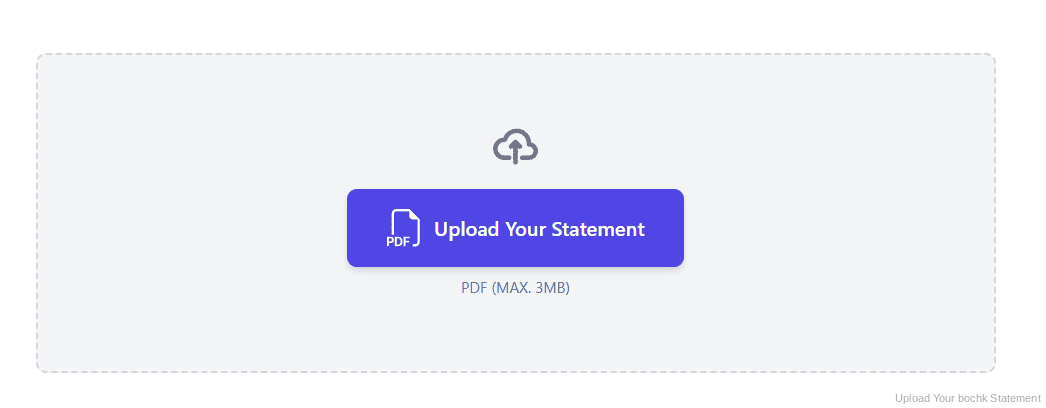
Step 2: Upload Your PDF Bank Statement
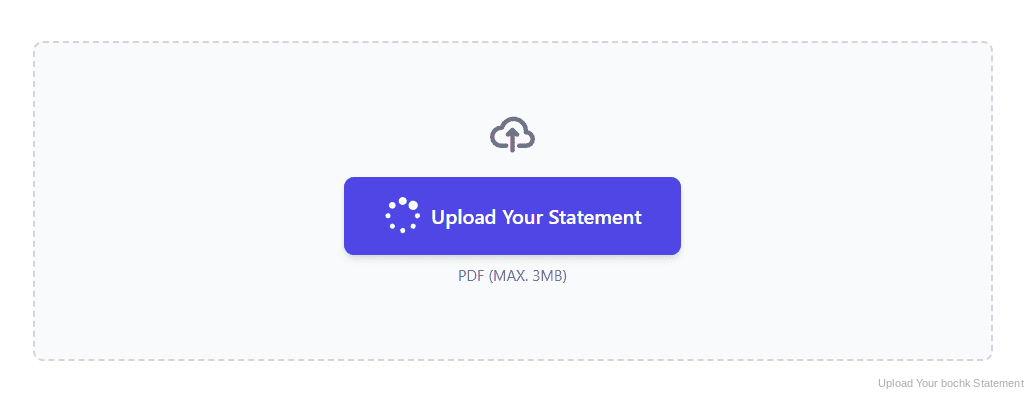
Step 3: Our engine converts it into a structured Excel or CSV file
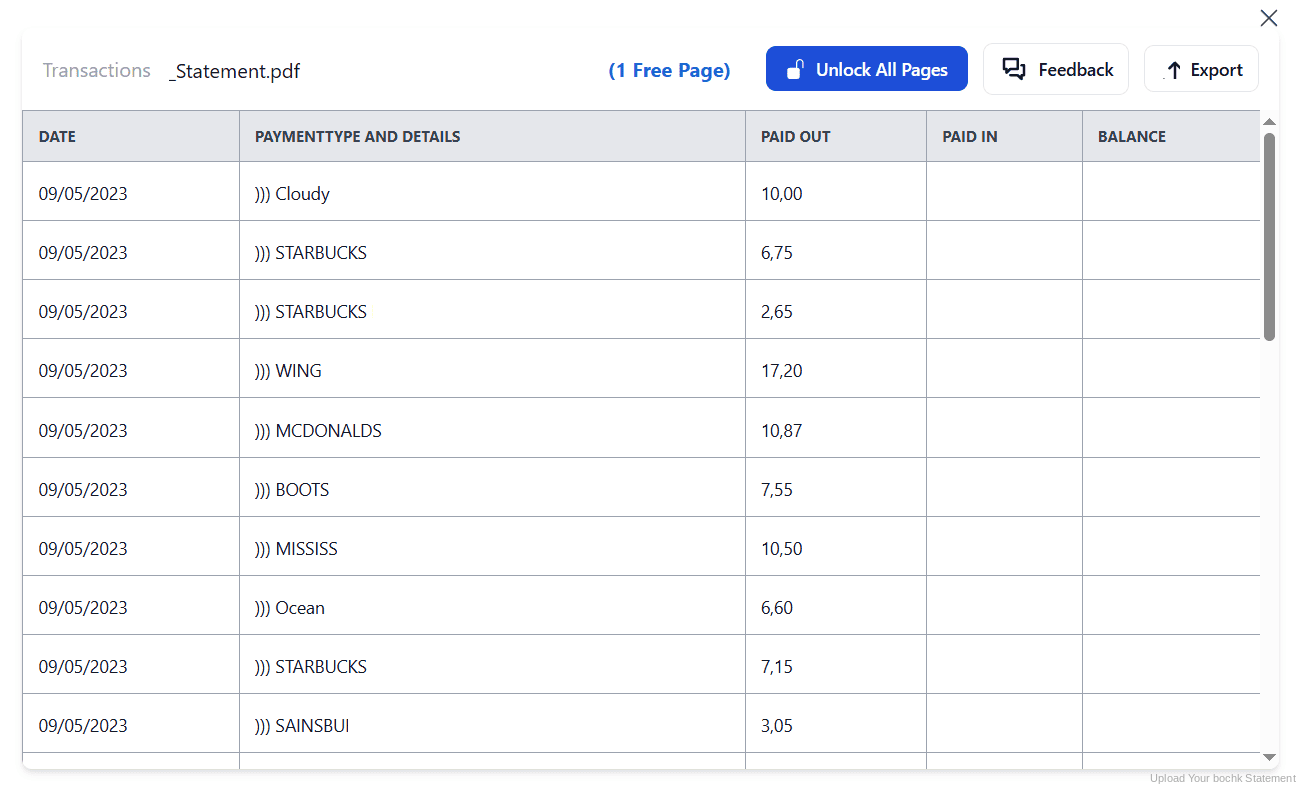
Step 4: Check the result and download your converted file instantly
Can You Convert BOCHK Statements Manually?
The volume works against you. BOCHK issues separate statements for consolidated accounts, credit cards, securities, funds, bonds and precious metals, each with its own layout. Retyping them by hand means handling several formats, and doing it before the shorter retention windows close.
The documents themselves resist copying. Descriptions mix English and traditional Chinese, so pasted text often breaks or lands in the wrong cell. Where several currencies appear in one statement, a flat paste stacks them together and quietly ruins your totals.
An automatic converter reads each statement type, keeps bilingual descriptions intact, separates currencies and rebuilds Date, Description, Withdrawals, Deposits and Balance as real columns. Check your totals against the closing balance afterwards to confirm the result.
Related Guides
More Hong Kong Bank Guides:
Frequently Asked Questions
Can I export BOCHK transactions to CSV or Excel?
No. BOCHK provides e-Statements and e-Advices as PDFs through Internet Banking and Mobile Banking, with no CSV, Excel, QIF or OFX option. Download the PDF and convert it with StatementSheet.
How long does BOCHK keep my e-Statements?
It depends on the document type. BOCHK retains e-Statements and e-Advices anywhere between twelve months and up to seven years. Customers enrolled in e-Statement services can retrieve eligible statement types going back up to seven years.
Are consolidated statements free?
Yes. Electronic consolidated statements for the past twenty-four months are provided free of charge to personal banking customers enrolled in consolidated statement services, with no additional registration required.
When does e-Statement registration take effect?
It varies. For precious metals, FX margin, securities and securities margin accounts the service is effective immediately after registration. The consolidated monthly e-Statement service becomes effective the next working day.
How do I register for BOCHK e-Statements?
Through BOCHK Internet Banking, or at any branch. If you register at a branch, the signature on the application must match the specimen signature for the relevant accounts.
Can you handle statements in English and Chinese?
Yes. Hong Kong statements are typically bilingual and often multi-currency, and StatementSheet reads them without garbling descriptions or mixing currencies together.
Tips for Organizing Your Converted BOCHK Statements
Once your statements are converted to Excel or CSV, here is how to get the most out of them:
- Know which retention window appliesNot every statement is kept for seven years. Check the window for each document type you rely on, and download the short-retention ones first before they drop off.
- Use the free 24 month consolidated viewIf you are enrolled in consolidated statement services, the past twenty-four months are free with no extra registration. It is the quickest way to gather a two year run in one place.
- Split currencies before you total anythingStatements can carry more than one currency. After conversion, filter by currency first: mixing Hong Kong dollars with another currency produces a meaningless total.
- Reconcile against the closing balanceCompare your converted totals with the opening and closing balances printed on the statement. If they disagree, a row is missing or duplicated.
- Keep records for seven yearsHong Kong law requires business records to be kept for seven years. Keep the original PDF: in an Inland Revenue review it is the source document that counts, not your spreadsheet.
Troubleshooting Common BOCHK Conversion Issues
- An older statement is no longer availableRetention depends on the document type, and some are kept only twelve months. Once a statement leaves the window it cannot be retrieved online, so convert and archive as you go.
- Your new e-Statement service is not active yetTiming differs by account. Securities, precious metals and FX margin services start immediately, but the consolidated monthly e-Statement only becomes effective the next working day.
- Chinese characters come out garbledCopying bilingual text from a PDF often breaks the encoding. A proper conversion preserves both English and Chinese descriptions in a single cell.
- Your totals mix different currenciesA multi-currency statement pasted flat stacks everything into one column. Conversion keeps currencies distinct so you can filter before totalling.
Final Thoughts: Take Control of Your Financial Data
BOCHK offers a genuinely deep archive, but an uneven one: twelve months for some document types, seven years for others, twenty-four months free for consolidated statements, and registration that activates at different times depending on the account.
With StatementSheet, your BOCHK PDF statements become clean Excel or CSV files: separate columns, bilingual descriptions preserved, currencies kept apart, and an archive that outlives whichever retention window applies.
Ready to convert your BOCHK bank statement to Excel or CSV?
➡️ Ready to convert bank statement PDF to CSV? and keep an archive that outlives the retention window.