
How to Convert CIMB Bank Statements to Excel and CSV
A step-by-step guide to turning your CIMB statements into usable spreadsheet formats, built for Malaysia.
CIMB has stopped sending paper statements. What replaced them is the eStatement, and it arrives as a password protected PDF. Useful for reading, impossible to total. There is no CSV, no Excel, and no export button hiding in CIMB Clicks: the PDF is the whole offer.
This guide explains what CIMB actually provides, why the password matters before you convert, and how StatementSheet turns your CIMB PDF statements into clean Excel or CSV files.
Can You Download CIMB Bank Statements Directly in Excel or CSV?
Short answer: no. CIMB provides the eStatement as a PDF only, and that PDF is password protected. There is no CSV or Excel export.
CIMB, Malaysia's second largest banking group with around a thousand branches across ASEAN, delivers statements through the eStatement service in CIMB Clicks. From there you can view a statement, have it sent to your email, or download it. All three give you the same thing: a PDF.
Two details matter before you try to use that file. First, CIMB eStatements are password protected, so the document will not simply open in a spreadsheet or a converter until it is unlocked. Second, the bank has stopped sending paper statements, with the cutover date communicated by SMS or email. The PDF is no longer one option among several; it is the record.
There is no CSV, QIF or OFX anywhere in the flow. Whether you read the statement in CIMB Clicks, receive it through Email Statement Delivery for a ringgit a month, or download it from the app, you end up with the same locked PDF. Converting it is the only route to a spreadsheet you can actually reconcile.
Why Convert CIMB PDF Bank Statements to Excel or CSV?
The eStatement is a document, not data. Converting it changes what you can do with it:
- Get the CSV that CIMB does not offerCIMB Clicks provides no CSV, Excel, QIF or OFX export. The eStatement is a PDF whichever way you obtain it. Conversion produces exactly the file the bank does not give you.
- Work with a bank that no longer posts paperCIMB has stopped sending paper statements. The PDF in your inbox or in CIMB Clicks is now the record, so turning it into a spreadsheet is the only way to total, filter and audit it.
- Handle password protected statements properlyBecause the eStatement is password protected, it needs to be unlocked before any tool can read it. Once open, conversion turns those locked pages into rows you can calculate with.
- Reconcile across CIMB's regional accountsCIMB operates across Malaysia, Indonesia, Singapore, Thailand and beyond, and statement layouts differ slightly by market. Converting each one into the same column structure lets you consolidate them.
- Prepare for LHDN and your accountantWith the Inland Revenue Board pushing e-Invoicing, clean transaction data matters more than ever. A converted spreadsheet imports into AutoCount, SQL Accounting or Xero without manual retyping.
eStatement PDF vs. Converted File: What Changes?
CIMB gives you one format. Here is what conversion adds to it.
| Critère | CIMB eStatement (PDF) | Converted file (Excel / CSV) |
|---|---|---|
| Available from the bank | Yes, password protected | Produced by converting that PDF |
| Sortable and filterable | No | Yes |
| Totals and pivot tables | No | Yes |
| Imports into accounting software | No | Yes, as separate columns |
| Best for | Reading and record keeping | Reconciliation, audits, LHDN filing |
Simple rule: For reading or proving a transaction, the eStatement is the document. For anything you need to total or import, convert it.
Why Use StatementSheet?
StatementSheet reads your CIMB PDF statement and turns every transaction line into a structured spreadsheet row, with no copying, pasting or manual cleanup.
- ✔️ Produces the CSV and .xlsx workbook that CIMB Clicks does not offer
- ✔️ Works with the eStatement PDF once you have unlocked it with your password
- ✔️ Handles CIMB layouts from Malaysia and its regional markets
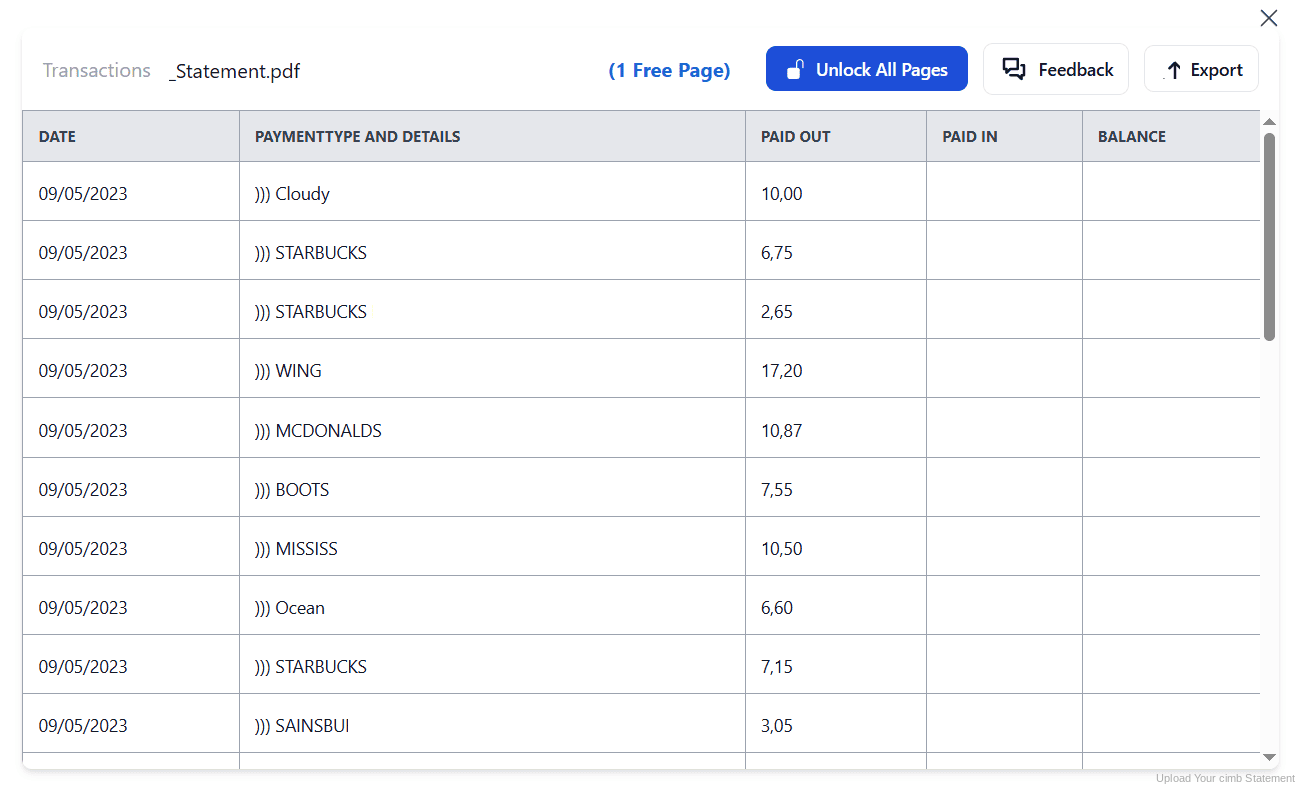
- ✔️ Columns for Date, Description, Debit, Credit and Balance, with wrapped descriptions merged
- ✔️ Ringgit amounts returned as numbers you can calculate with
- ✔️ Ready for AutoCount, SQL Accounting, Xero and Excel
- ✔️ Scanned statements handled by OCR, with files processed securely
Which CIMB Documents Can You Convert?
CIMB serves personal, business and Islamic banking customers across Malaysia and ASEAN. StatementSheet handles:
- CIMB savings and current account eStatements in PDF
- CIMB credit card statements
- CIMB loan and financing account statements
- CIMB Islamic account statements
- CIMB regional statements from Indonesia, Singapore and Thailand, plus scanned copies
How to Convert CIMB PDF Bank Statements in Four Easy Steps
Here is how to turn your CIMB PDF statements into Excel or CSV:
Step 1: Download Your CIMB eStatement
- Log in to CIMB Clicks or open the CIMB OCTO app
- Open the eStatement section and select the account you need
- Choose the statement month, then download it rather than only viewing it
- Unlock the PDF with your statement password and save the file
Two things to know. The eStatement is password protected, so keep the password handy before you try to open or convert it. And if you opened the account this month, no statement exists yet: it can only be generated from the first day of the following month.
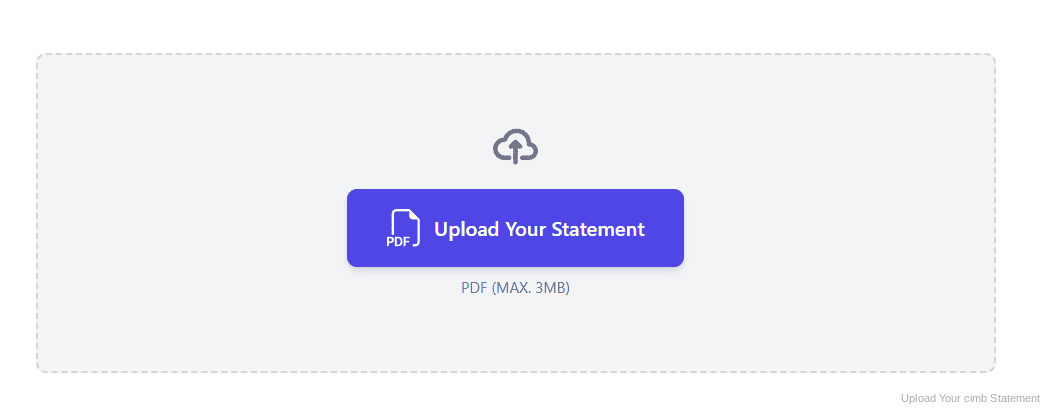
Step 2: Upload Your PDF Bank Statement
Step 3: Our engine converts it into a structured Excel or CSV file
Step 4: Check the result and download your converted file instantly
Can You Convert CIMB Statements Manually?
With no CSV anywhere in CIMB Clicks, manual copying is the only alternative, and the password adds a step before you even begin. Once the PDF is open, the usual problems appear: columns shifting at page breaks, descriptions wrapping onto a second line, ringgit amounts pasting in as text rather than numbers.
The volume makes it worse. Since paper statements stopped, every month exists only as a separate PDF, so a full financial year means twelve unlock-and-retype cycles. If you also hold CIMB accounts in another ASEAN market, the layouts differ slightly and each set needs its own handling.
An automatic converter reads the unlocked statement, merges wrapped descriptions and rebuilds Date, Description, Debit, Credit and Balance as real columns. Check your totals against the closing balance afterwards to confirm the result.
Related Guides
More Malaysia Bank Guides:
Frequently Asked Questions
Can I export CIMB transactions to CSV or Excel?
No. CIMB Clicks provides the eStatement as a PDF only, with no CSV, Excel, QIF or OFX option. To get a spreadsheet, download the PDF and convert it with StatementSheet.
Why is my CIMB eStatement password protected?
CIMB password protects eStatements for security, since they are delivered electronically rather than posted. You need that password to open the file, and to convert it into a spreadsheet.
Does CIMB still send paper statements?
No. CIMB has stopped sending paper statements, with the cutover date communicated to customers by SMS or email. The eStatement in CIMB Clicks or your inbox is now the record.
What is Email Statement Delivery?
It is an option to receive your eStatement by email each month rather than logging in to fetch it. It costs around one ringgit a month, and the file you receive is the same password protected PDF.
I just opened my CIMB account. Why is there no statement?
If the account was opened during the current month, no statement has been generated yet. You will be able to produce one from the first day of the following month.
Does this work with CIMB statements from Indonesia or Singapore?
Yes. CIMB operates across several ASEAN markets and the layouts differ slightly, but the same conversion applies and the output keeps a consistent column structure.
Tips for Organizing Your Converted CIMB Statements
Once your statements are converted to Excel or CSV, here is how to get the most out of them:
- Keep your statement password somewhere safeEvery eStatement is locked. Store the password securely alongside your archive, because without it an old statement is unreadable, and so is any attempt to convert it.
- Download every month, since paper has stoppedWith no paper statements arriving, nothing lands on your desk to remind you. Download and convert each month as it appears, so a full year is never missing pieces.
- Reconcile against the closing balanceCompare your converted totals with the opening and closing balances printed on the statement. If they disagree, a row is missing or duplicated.
- Separate your regional accounts clearlyIf you hold CIMB accounts in more than one country, label each converted file by market and currency before merging them, or your totals will quietly mix ringgit with other currencies.
- Keep records for seven yearsMalaysian tax rules require business records to be kept for seven years. Keep the original PDF: in an audit it is the source document that counts, not your spreadsheet.
Troubleshooting Common CIMB Conversion Issues
- Your PDF will not open in any toolCIMB eStatements are password protected. Open the file with your password first, then convert it. Without the password no converter can read the contents.
- You cannot find an export button in CIMB ClicksThere is not one. CIMB provides the eStatement as a PDF only, whether you view it, email it or download it. Convert the PDF to get a spreadsheet.
- No statement is available for your new accountIf the account was opened this month, the first statement can only be generated from the first day of next month. Wait for the cycle to close, then download and convert.
- Ringgit amounts are not adding upPasting from a PDF usually turns amounts into text. A clean conversion returns them as numbers you can calculate with straight away.
Final Thoughts: Take Control of Your Financial Data
CIMB has moved fully to eStatements and stopped posting paper, but what replaced it is a password protected PDF with no CSV, no Excel and no export option anywhere in CIMB Clicks.
With StatementSheet, your CIMB PDF statements become clean Excel or CSV files: separate columns, merged descriptions, ringgit amounts that calculate properly, ready for your accountant or your LHDN filing.
Ready to convert your CIMB bank statement to Excel or CSV?
➡️ Ready to convert bank statement PDF to Excel? and total a year of eStatements at once.